(This is a personal post so if that isn’t your thing then you should move on.)
2018 was a satisfying year because many of the issues that I surfaced last year and in prior years were resolved. I moved my business to expertise retainers, was more comfortable with success and stopped beating myself up (and others) for not being super human.
I had a lot less angst, guilt and was generally a lot happier.
Expertise Retainers
One of the biggest and most successful changes in the business was moving away from any hourly rates or guarantees. In 2017 I had grown weary of the conversations about how many hours I’d worked and whether that was enough to satisfy the retainer.
Now, to be honest, there weren’t a lot of those conversations but there were enough that it bugged me. So I upped my retainer rates and moved to a pure value-based arrangement.
It was no longer about how many hours I put in but how much value I could deliver. It didn’t matter if that value was delivered in 10 minutes if it meant a 30% increase in traffic. I get paid based on my expertise or … my very particular set of skills.
What this also seems to do is match me with similarly like-minded clients. Many instantly understood that time spent wasn’t the right metric to measure. So it came down to whether they trusted that I had the expertise.
The result is more productivity. Not so much because I’m more productive but that there’s less time spent convincing and more time spent implementing.
Thinking
I regularly chat with Zeph Snapp to discuss business and life. One of the things he said years ago was that my goal should be to get paid to think. I really liked the sound of that.
Expertise retainers get close to realizing that goal. Because part of my expertise is the way I think about things. I have a natural ability to see patterns and to take disparate pieces of information and come to a conclusion.
I used to think this was no big deal. Doesn’t everyone see what I see? The answer to that is no. I’m not saying I’m some mentalist or massive smarty pants. I’m just adept at identifying patterns of all sorts, which happens to be meaningful in this line of work.
More importantly, I’m able to communicate my thinking in a way that people seem to understand. Most of the time this takes the form of analogies. But sometimes it’s just describing, step by step, how I figured something out.
The value isn’t just what I do, but how I do it.
Everything Takes Longer
Last year my goal was to launch two sites and a tool in collaboration with others. That didn’t happen. Instead, I was able to launch one site in the fourth quarter of 2018.
The truth of the matter is that everything takes longer than you think it will. That report you think is going to take you 15 minutes to crank out takes 30 minutes instead. Now, that might not seem like a lot individually. But it adds up quickly.
It extends even longer when you’re counting on others to realize your vision. As you’ll see later on, I’m not blaming anyone here. But you can’t move the ball forward when one of your collaborators goes dark.
No matter how many times I internalize the ‘everything takes longer than expected’ truth I am still surprised when it surfaces like a shark fin slicing through calm water. I don’t know if that’s a shortcoming or if I’m just perpetually optimistic.
Time is Bendy
This might sound like a Doctor Who quote but that’s not where this is going. While everything seems to take longer than you expect, in retrospect it also seems like you’ve done quite a lot in a short amount of time.
Time is a strange beast.
When those 1099-MISCs start rolling in I realize just how many clients I worked with in a given year. Then I might go through the litany of different projects that I took on that year. It turns out I was very busy and very productive.
So while it never feels like you’re making huge strides while you’re in the thick of things you can look back and see just how far you’ve come. This is the same feeling I get when hiking or cycling.
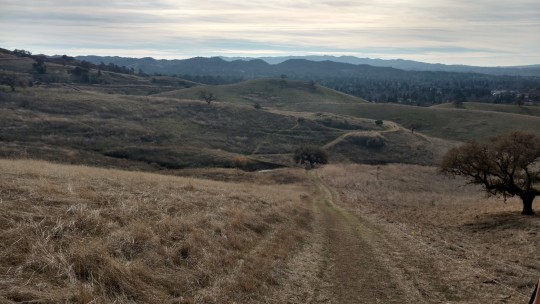
It doesn’t seem like you’re climbing that much but then you turn around and see how far you’ve gone and can admire the stunning view.
Response Times
One of the things I’ve battled for ages is the speed in which I reply to email. Worse is that the email I don’t respond to at all are for those that I’d like to help. It’s people who I don’t want to say no to but … should. I just don’t have the time.
So I’ll take that initial call and I’ll promise a proposal. I have the best intentions. But in the end I am deep into working and when I think about sending that proposal I can only think about how I’ll fit that work in if they say yes. So I put it off.
Those emails just sit there. Potential work and, more importantly, the promise of help are left dangling. I generally keep those threads as unread mail. Today I have four unread items in my inbox. They are all folks I just … ghosted.

I keep those threads as unread to remind me. Not so much to beat myself up but to ensure that I don’t get into those spots in the future. I can only do so much and while I’d like to do more I know I simply can’t.
If you are one of those four, I apologize. I still think about your projects. I’m happy when I see you mentioned in a mainstream article. I sincerely wish you the best.
Think It, Do It
The good news is that I’m vastly better at responding to most other email. I often got into the habit of thinking about what I have to do. Or thinking about how I’m going respond, essentially typing up the response in my head.
I’ve gotten much better at identifying when I’m doing this and instead actually do it. This has been really transformative. Because I find that it’s often the little things that build up and start weighing me down.
I know many would say that I should focus on the most impactful project first. But that hasn’t worked for me. It makes me less productive if I know there are six other things I need to get to. They all might be smaller tasks but my brain is crunching away on that stuff in the background.
It’s like firing up the Activity Monitor on your computer and seeing all those rogue processes spinning away drawing down the computing power. I need to close those out so I can get more computing power back.
I feel better when I get those small things done. It’s a mini victory of sorts. I can take that momentum and roll it into the larger projects I need to tackle.
Framing
I realized that I’m incredibly good at framing. Not the artistic kind but the psychological kind.
For instance, I often tell people that I won the cancer lottery. If you’re going to get cancer, follicular lymphoma is the three cherries variety. I’ll die of something else long before this type of cancer takes me down.
I do this all the time. It’s not that I don’t acknowledge that something is tough or troubling. But how you frame it makes a huge difference in how you handle that situation.
Framing is marketing to yourself.
Framing doesn’t change the facts but it does change … how you perceive reality. I acknowledge that it’s a hell of a lot easier to do this when you’re white and financially secure. But I’ve done it my entire life. (Granted, I’ve always been white but not always financially secure.)
I moved out to San Diego with my now wife and we spent a year without a couch. We didn’t have enough money to go to full price movies. But we were together in beautiful San Diego.
I framed the move from Washington D.C to San Diego as an adventure. I framed it as doing something the vast majority don’t. So even if things didn’t work out, the attempt was worth it. The way I framed it, even failure was a success! It seems laughable. I mean, seriously, I’m chuckling to myself right now.
But by framing it that way I was able to enjoy that time so much more. I was able to be less stressed about the eventual outcome and instead just be present in the moment.
Juggling

I finally overcame my guilt of dropping the communications ball. The fact of the matter is that most of us are juggling a lot. And there are plenty of times when I’m on the receiving end of not getting a response.
A friend will put me in touch with someone and I’ll respond with some meeting times. Then I don’t hear from them for a month or more. Eventually they surface and apologize for the delay.
I’ll waive off the apology. “No worries, I totally understand.” Then we pick-up where we left off and see where things go.
I guess I’ve realized that people are far more forgiving about these things. I don’t think anyone intentionally decides they’re going to drop that email thread. Things just … happen.
Because, everything takes more time than you think it will. (See what I did there.)
Success

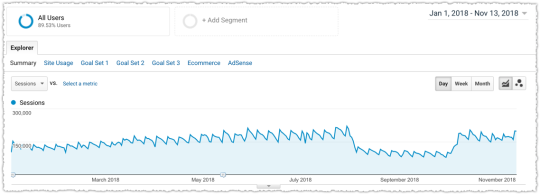
The business, which was already crazy good, continued to grow.
For a long time part of me figured that people resented my success. Why him and not me? And you know what, those people might be out there. But I no longer think that’s the majority.
In part, this is a realization that my success does not mean that others won’t find their own. This isn’t a zero sum game of people at the top and others at the bottom. I found a niche and others will and have found their own.
There are multiple pathways to success, even within our own small industry. And I’m more than happy to chat with other consultants and give them advice and document templates. There’s more than enough business out there.
Does the income disparity between myself and the average American still make me uneasy? Hell yeah. But me feeling guilty about spending the money I earn doesn’t do much about that except make me less happy.
Guilt is not a good form of activism.
I’m not a big consumer anyway. I don’t rush out to get the new phone or the new TV or the coolest clothes. I eat out a bit more. I travel. I donate more too. That doesn’t earn me gold stars, it’s just what it is.
What I did instead was register marginaltaxratesexplained.com the other week. So please get in touch if you’re a developer or designer who has any interest in educating folks on this topic. Because most people don’t get it.
SEO Success
Last year I managed to launch one out of three ventures. It might sound like I was disappointed but in reality I think one out of three is pretty damn good. (Framing in action folks.)
The one I did manage to launch got traffic right off the bat. And each week it gets more. All this with less than 50 pages of content! It was really a proof of concept for a much larger idea. So 2019 will be about scaling.
I’m super excited about this site. But what it really did was confirm just how effective SEO can be when you approach it correctly. There’s so much opportunity!
There’s a whisper campaign out there about how difficult SEO is getting. The SERPs are getting crowded out by ads and Google is taking away more clicks. It’s even worse on mobile where there’s less screen real estate right?
Sorry, but the sky is not falling. I’m not saying there aren’t challenges. I’m not saying things haven’t changed. It just means we need to change and adapt. Too many are still conducting business using Panda and Penguin as their guardrails.
SEO is easy when you understand how and why people are searching and work to satisfy their intent. That’s a bit of a simplification but … not by much. Target the keyword, optimize the intent. It’s been my mantra for years.
It’s great when you use this approach with a client, make a big bet, and see it pay off.
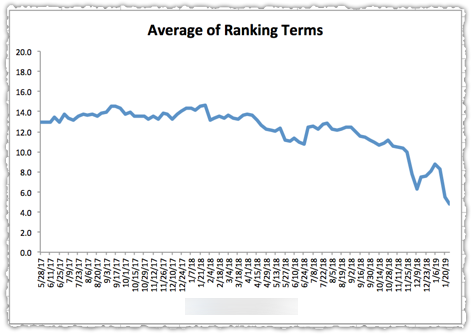
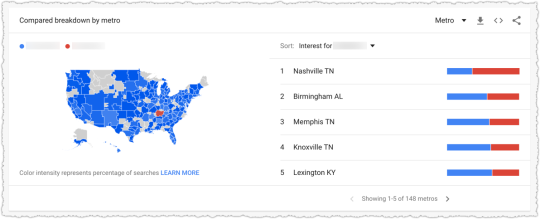
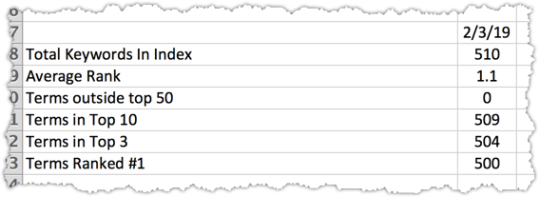
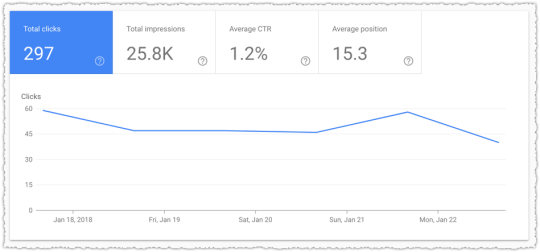
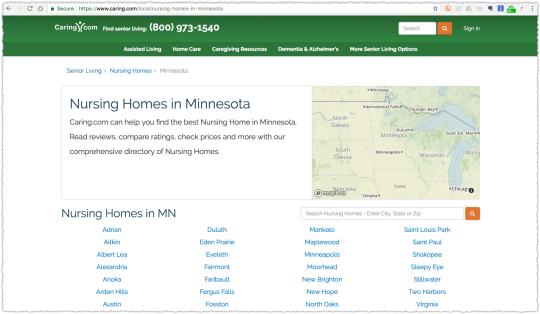
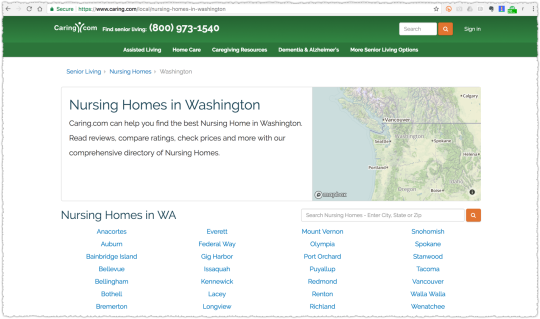
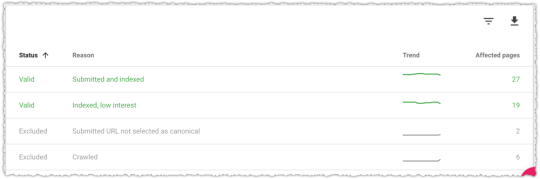
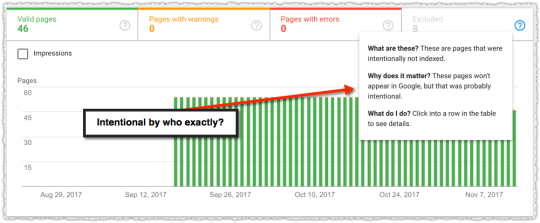
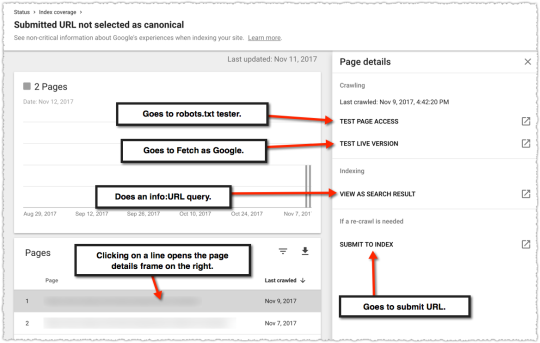
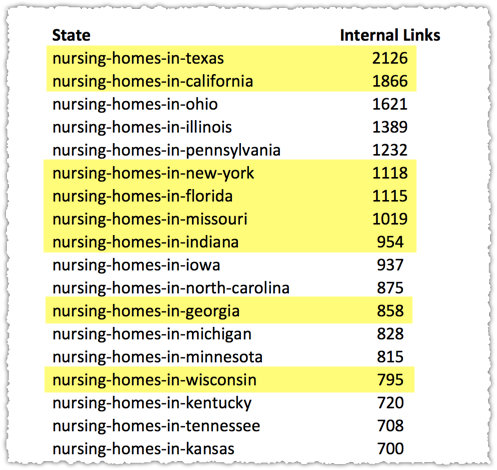
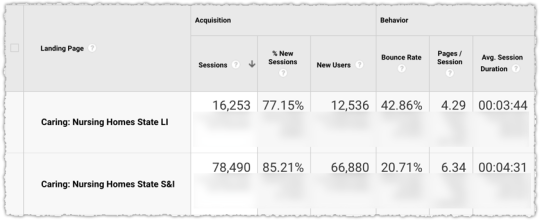
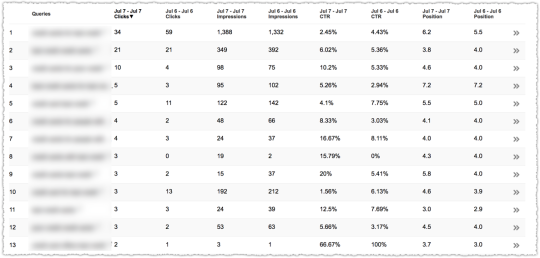
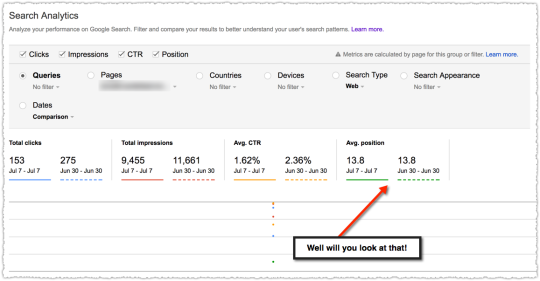
The graph above is the result of launching a geographic directory on a client site. Not only has the average rank for this important query class moved from the low teens to approximately four but the conversion rate increased by 30% or more for these queries.
More traffic. Better traffic.
What shouldn’t be downplayed here is that the requirements for the new page type where built around what users searching would expect to see when they landed. SEO was the driving force for product requirements.
SEO isn’t just about keyword research but about knowing what users expect after typing in those words.
Habits
Going into 2019 I’m focusing more on habits. In the past I’ve had explicit goals with varying degrees of success in achieving them.
I have 2019 goals but I also list the habit or habits that will help me reach each goal. I wound up putting on a lot of the weight I lost in 2017. So this year I’m going to lose 32 pounds and hit my target weight of 160.
To do that I’m going to journal my food and weigh myself every day. When I do those things, I know I have a much better chance of reaching that goal and maintaining it. Frankly, getting there is usually easy. I’m already down 12 pounds. Maintenance is more difficult.
Another example is my desire to read more. This is something I want to do but haven fallen short of in recent years. But this time I decided the habit to change was to read before bed instead of falling asleep to the TV.
I already use this methodology with a number of clients, whether it be in maintaining corpus control or in developing asynchronous link-building campaigns. So what’s good for the goose should be good for the gander, right?
Adapting
If you read through my ‘What I Learned’ series I think you’ll see that I am good at adapting to situations. In 2018, that was once again put to the test.
I took a nearly month long vacation in Europe. We went to London, Paris, Venice and the South of France. (As an aside, this was a no-work vacation and as such I did not bill clients for that month off. So it’s amazing that the business grew by 20% while I only billed 11 months of work.)
As a family we had a vision of what our vacation would be like. My wife had various ‘walking guides’ to the cities we’d be visiting. We couldn’t wait to go and imagined ourselves trekking around and exploring the rich history of each city.
But a few weeks before we were set to leave my daughter dislocated her kneecap. We were at a court warming up between tournament matches when she suddenly crumpled to the ground, howling in pain.
She had this same injury twice before so we knew the time to recover would extend well into our trip. She wouldn’t be able to walk for any long period of time. But here’s the thing. Instead of thinking about how awful it was going to be, we simply figured out a way to make it work.
I bought foldable canes and we rented a wheelchair when we were in London. It wasn’t what we planned but it worked out amazingly well. I pushed her around London in the wheelchair and you’d be amazed at how many lines you can cut when your child is in that chair or has on a brace and limps around using a cane.
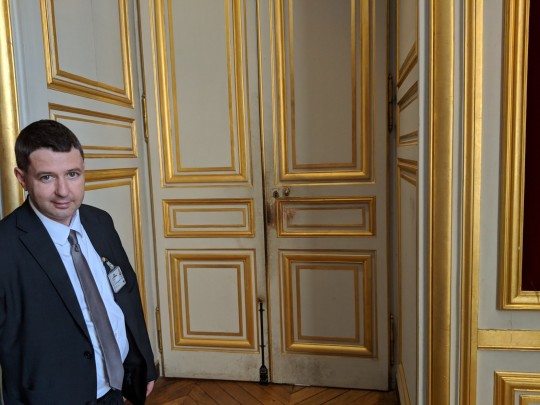
I kid you not, when we went to Versailles, the line to get in was horrendous. Hours for sure. I got in line while my wife and daughter (limping with her cane) went to the front to ask if there was a wheelchair available. The result? We jumped that line and got to see some of the back rooms of Versailles as we secured her wheelchair.
Here’s the back room entrance to the Palace of Versailles.
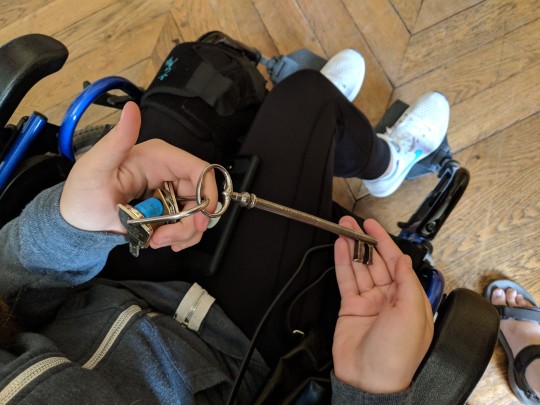
And here’s the crazy ass key that still opens that door.
The point here is that you have to deal with the reality that is right in front of you and not what you hoped it might be. When you embrace the here and now it can turn out to be pretty awesome.
If you take anything away from this post I hope it is this. Because nothing good comes from trying to navigate life when you’re constantly thinking it should have been different.
But that wasn’t what really pushed our ability to adapt. Instead, it was what happened the first night we were in our villa in the South of France.
The Long Story
(Seriously, this is a long story so if you want to bail now that’s cool. I’m going to try to keep it short but it’s still going to be long. I think it ties things together but you might disagree. So … you’ve been warned.)
We rented a gorgeous villa in Saint-Raphaël with a pool and a gorgeous view. It was going to be the relaxing part of a very busy vacation.
I was asleep on the couch downstairs (because I snore) when my wife woke me up by yelling, “AJ, there’s someone in the house!” Heart pounding, I bounded upstairs and saw the briefest of motion to my right and ran to where the sliding glass door was open. I guess I was chasing the burglar out?
I didn’t see much so I ran back inside and checked on my wife (who was fine and, incidentally, a badass) and then immediately went back downstairs to check on my daughter who was in an entirely different room. She was fine and still asleep.
We composed ourselves and took inventory. The burglar had stolen some jewelry, our phones, my wallet and my backpack, which had … our passports. Ugh! They’d pulled my wife’s suitcase out of her room and had rummaged through it and were going back to do the same with mine when my wife woke up and scared him off.
In short, someone had broken into our villa while we slept and robbed us. It was scary as fuck. But it all could have been a whole lot worse. No one was hurt. You can always get ‘things’ back.
And we did almost instantly. The guy must have been so freaked at being chased that he’d dropped my wife’s purse as he fled. I found it just outside on the balcony. Inside? Her wallet and brand new camera! Losing the wallet would have been one thing but the thought of losing a whole trip worth of photos would have been a real blow.
We started making calls, struggling through the international dialing codes while adrenaline continued to course through our veins. We called the property manager, our travel insurance provider and my credit card companies.
It was 3 in the morning so the first few hours weren’t that productive but it allowed us to calm down and come up with a plan of action. By 7 am we starting to hear from everyone and the wheels were put into motion.
Our contact for the rental was Brent Tyler, a Brit who was quite the character. He was always ‘on’ and had a witty response for damn near everything. He’d even written a book about moving from Cookham to Cannes. But what mattered that day was that he spoke fluent French, which was going to be instrumental in helping deal with the local police.
Because that’s what we had to do. The local police came by and then they sent the CSI team later on to take prints and DNA evidence.
Then we had to go to Fréjus to file a police report.
It was a small station fortified by two massive lucite looking doors where you had to be buzzed in. The police officer was a French female version of a stereotypical lazy sheriff. She wasn’t keen to do much for tourists.
But that all changed when she met Brent.
Oh, she had a thing for him! So here I am watching these two flirt as they go through the list of items that were stolen. His French is good but not perfect and she finds that endearing. She’s asking what something means and he’s trying to find the right words to describe it.
I know the French word for yes is ‘oui’ but quickly learn that ‘yeah’ is ‘ouais’ which sounds like ‘whey’. Because this is how Brent responds when he and this police officer settle on something. “Whey, whey, whey, whey” Brent nods as the police officer grins.
It is an odd thing to be in such an awful situation but see these ebullient interactions. I didn’t know whether to be annoyed or happy for the distraction.
Either way we were able to get the report filed, which was particularly good for insurance purposes. Check that off our list and move on. We were feeling good about things.
That’s saying a lot too because Brent never told us to keep all the steel shutters down at night. Hell we didn’t even know the place came with steel shutters! If we’d been told, no one could have broken in. So we had to rely on someone who we were a bit angry with at the time. I think we all figured out a way to make it work and that’s sort of the point.
On the way back to the villa we stopped to get passport photos. Because the next day we had to drive to the U.S. Consulate in Marseille to get new passports. Here’s what I looked like in those photos.
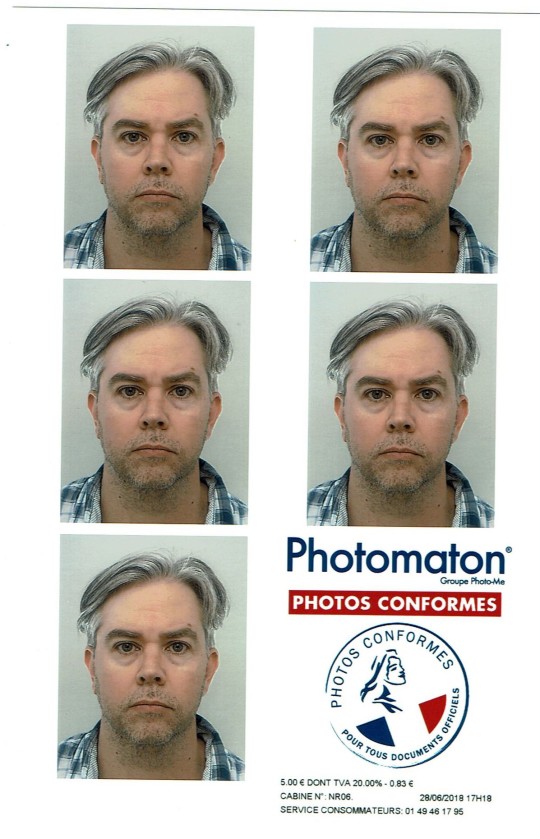
They tell you not to smile so I look both tired and pissed off. It’s a nice Andy Warhol type effect though and looking at it now actually makes me smile.
Later that day, someone buzzed at the front gate of the villa and asked if I was there. Who the hell was asking for me here? But it soon became clear that this gentleman had found my driver’s license.
I let him in and learned that he too had been burgled last night along with two others in the neighborhood. They’d taken his glasses and some expensive photography equipment. He was from the Netherlands and said his son found my license out by their trash cans in the morning.
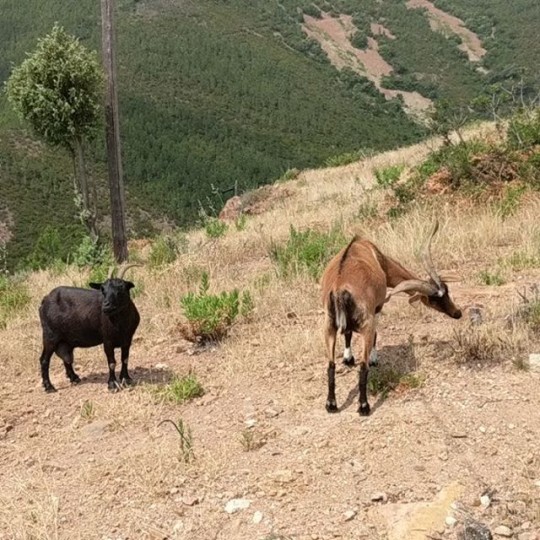
I thanked him profusely and once he left went out to see if I could locate any other items. I trekked up and down those windy roads. I didn’t find anything, though I did meet some very friendly goats.
The next day we drove to Marseille, which was over two hours away. It was a stressful trip.
Things are just different enough to make things difficult. What button do I press and how much do I have to pay at this toll? Why isn’t it working!? What am I doing wrong?! There are cars behind us!
Maybe it was our mood or perhaps it was the area of town but … Marseille was not my jam. It all felt a bit sketch. But again, perhaps my paranoia was just at a high point that day.
We had an appointment at the U.S. Consulate but even then it was like entering some nuclear bunker. The guardhouse had a “sniper map” with a picture of their view of the street in grid format. So if there’s a threat approaching they could simply call in a grid code and, well, I’m not sure what happens but I figure it would be like something out of Sicario.
Past the guardhouse we were led into an interior room where you can’t take anything electronic inside. At this point it doesn’t feel like those movies where you run to the embassy for assistance and they say “you’re okay, now you’re on American soil.” No, it was the TSA on steroids instead.
Once inside it turned out to be a pretty mundane room that, apparently, hadn’t been updated since the late 80s. A state department worker tells us that we can start the process of getting new passports by filling out the forms online. Oh, and those passport photos we got aren’t going to work. It’s a total scam. They’ll take our photos here instead.
My wife and I start filling out the forms online and just as we’re about to move on to my daughter’s passport the state department woman barges out and tells us to stop. It’s … dramatic. She’s just received a call that someone, a neighbor, has found our passports!
Yes, while we are there applying for new passports, someone called to tell us they found our stolen passports. This neighbor called the police in Fréjus who said they had no information on lost passports. (Yeah, not true!) So he took the next step and called the U.S. Embassy in Paris, who then put him through to our contact in Marseilles.
I am in awe that this stranger went to these lengths and at the incredible timing of his call. The state department contact tells us that this is only the second time in ten years that this has happened.
She goes on to tell us that these break-ins are a huge problem in the area and have been getting worse over the past few years. They come in through the forest to avoid the gates that bar entrance to the community on the road. She describes a pile of found credit cards and passports at the end of every season.
She checks to make sure that our new passport requests haven’t gone through and we arrange to meet with our neighbor later that day when we return. Things are looking up so we take the scenic way home and spend a few hours at the beach in La Ciotat.
Once home we meet up with our neighbors who tell us my passport case was hidden in his wheel well. Not only are the passports there but they missed the cash I’d stuffed into one of the interior pockets. Bonus!
Our neighbors are very funny and kind. They also tell us that they too were burgled many years ago and that’s why they had steel shutters installed. Ah, if only we’d known.
Sleeping in the villa is still difficult but … we make it work and try to have as much fun as we can. Not having our phones is a pain but my daughter’s phone and the iPad were left untouched so we’re still digitally functional.
But it’s not quite over.
On Monday we get an email confirming that our passports have been cancelled. What the hell! It turns out the online forms we’d filled out were, in fact, submitted. So the next few days are spent talking and emailing with our state department contact.
She is clearly embarrassed that she sent us home only to get this notice a few days later. She reaches out to DHS and asks them to undo the cancellation. Our contact even sends me a snippet of her Skype conversation where the DHS says that they’re not supposed to do that anymore but … they’ll make an exception.
So it seems like we’re in the clear. The problem is she isn’t quite sure if the new status will propagate through the entire border control database before we depart. There’s a chance we go to leave via Charles de Gaulle and are suddenly being swarmed by folks with guns wearing body armor.
The odds are that won’t happen but it’s still hard not to think about that potential outcome. At some point I just figured that if the worst did happen it would mean another week at a hotel and a few more days in Paris. It might be inconvenient and expensive but things would work out.
Of course, nothing of the sort happened. We handed a stone faced man our passports and he stamped them and with a sigh of relief we went to get something to eat before we boarded the plane.
The Take Aways
See, I told you it was a long story. But here’s the thing. I still think of that vacation as being … great. I could certainly frame it differently. I could frame it as how our grand vacation was ruined by this awful event. But I don’t. What does that accomplish?
I am not saying everything happens for a reason. I hate that saying. Instead, I’d simply say that chaos is the general thread of all life. How you handle it is what matters.
I also think of all the people that helped us. Sure there was the dirtbag who broke in and stole our stuff but there were more people who chipped in to get us back on our feet. Even the dirtbag didn’t hurt anyone and actually left our passports in a place where they were likely to be found. I’d like to believe that was on purpose.
I was also able to see that my anger at Brent wasn’t useful. I could tell he felt like shit and was willing to do what he could to assist us as a result. Even the French police officer who didn’t seem to care … came through in her own way.
Now, I don’t think these things happen just by accident. I don’t think we would have received as much help as we did if we weren’t working on side hustles to help ourselves, to be our own advocate and to ask for what we needed. Like I said, the thread of every life is chaos. It’s not if something is going to happen it’s when.
So it’s up to you to do as much as you can. When others see that you’re willing to try, they try too. Can it be that simple? I don’t know.
Conversely, it also struck me that this incident was both a big deal and meaningless at the same time. At the end of the day, it does turn into a story. It’s fodder for a blog post. Lives go on. Business continues. No one truly cares. I mean, people care but … it’s not a huge deal.
There were three other families who had the same experience. What I went through was not unique. That is oddly comforting. Just as it is when I think about my business issues. They are not unique. They’re still important but I try not to take them too seriously.
I took two other things away from this experience that might not be apparent from my narrative. The first is that exceptions can be made so everyone doesn’t get the same treatment.
While there’s no guarantee that you’ll be the exception to that rule, you never know unless you ask. Ask nicely but never settle. Never stop pushing because you’re not bumping up against something like gravity or the first law of motion. These are not immutable laws. They are rules made by imperfect humans. Sometimes they can change or be bent.
The second take away was that you need the help of others to reach your goals. I am perpetually grateful to the many folks who helped me get to where I am and continue to help me to this day. But it goes beyond that. Historically, I am very bad at letting go of things. I like doing things myself. I get fed up easily and feel like many are simply allergic to work.
But I was put in a situation where I needed the guy who spoke French and the woman fighting to un-cancel our passports. I couldn’t do those things. So it’s one thing to know that others help you achieve your goals but it’s quite another to experience it first hand.
As a result I’ve been able to take my hands off the reigns a lot more and let others do what they’re good at, leaving me more time to … think.