Query Synonyms

December 12 2011 // SEO // 6 Comments

The fact that Google frequently uses synonyms to boost search quality is nothing new. But Dan Petrovic brought an interesting example to my attention via Google+ which spawned a dialog that included Bill Slawski, Wissam Dandan and Steven Baker, Principal Software Engineer on the Search Ranking team.

It is conversations like these that make search so enjoyable. Hopefully you agree.

The Query

Dan’s question revolved around the query ‘the dreaming void plot’.

The Dreaming Void Plot Google Search Result

This query returned results for The Temporal Void as well as The Dreaming Void, both books by Peter F. Hamilton. The question was why?

Bold Words

First things first. Bold words in search results usually reflect the query terms. It’s one of the strongest signals of relevance that Google can provide to the user. Your eye naturally gravitates to those bolded words and they reinforce the fact that the result(s) matched your query.

Synonyms

However, Google has also been bolding synonyms when they’re returned in search results. The easiest way to see this is to combine a synonym operator (~) with a negative operator (-).

Google Synonyms Example

Here it’s easy to see that fantasy and sleep are bolded and are thus synonyms to dream according to Google. This makes complete sense.

The Diagnosis

Here’s where it gets interesting. The terms dreaming and temporal are not … regular synonyms. By that I mean that if you try the operator scenario above for dreaming you will not see temporal in bold.

A cursory look at your favorite dictionary will also tell you that these are not ‘grammatical’ synonyms.

The next thing I did was conduct a search using the root query: The Dreaming Void. The result did not yield results for The Temporal Void. I then looked at related searches, one of my favorite search features.

Google Related Searches for The Dreaming Void

Lo and behold the ‘first’ related search is ‘temporal void’. This tells me that Google sees a very strong relationship between these two terms based on query patterns.

The related search for the full ‘the dreaming void plot’ query does not yield any temporal void terms. That’s not entirely unexpected for reasons I won’t go into here for the sake of brevity. Finally, I remove the related filter and then test the query using the new verbatim search.

Verbatim Results for The Dreaming Void Plot Query

Poof. All results for ‘The Temporal Void’ disappear. Though obvious, this confirms that the results for ‘The Temporal Void’ are either synonyms or match similar terms.

Query Synonyms

This is what I refer to as a query synonym. The science behind these is actually incredibly interesting and complex. Because synonyms are not just about simple grammar, they’re about language, syntax and context as well.

Wissam Dandan offered this excerpt from a recent Google blog post on search quality changes.

Related query results refinements: Sometimes we fetch results for queries that are similar to the actual search you type. This change makes it less likely that these results will rank highly if the original query had a rare word that was dropped in the alternate query. For example, if you are searching for [rare red widgets], you might not be as interested in a page that only mentions “red widgets.”

Could this be related to Dan’s query? It might. The idea behind related queries is similar to synonyms. (Irony, huh?) The example provided by Google is that it will return results for ‘floral delivery’ when you search for ‘flower shops’. The change above will reduce the likelihood of false positives which may allow Google to increase the use of related query results refinements.

In the case of ‘the dreaming void plot’ there don’t seem to be any rare query terms. In fact, most documents in the content corpus contain all of these words and the word ‘temporal’ as well. There’s a high degree of co-occurrence for the terms ‘dreaming’ and ‘temporal’ which makes sense since they are part of a series of books.

But that’s the thing, what seems easy and straightforward to us is actually quite difficult for a machine.

The Science of Synonyms

Then the always smart Bill Slawski joined the conversation providing more examples of why synonyms are so difficult.

For instance, while we may often consider the words “auto” and “car” to be synonyms, that’s not the case when you set an alarm on “auto.” Even within longer phrases, words that we might consider to be synonyms might not be. So, “automobile” and “car” are synonyms when we search for a [ford car], but not when we search for a [railroad car].

Bill went on to reference a number of patents that describe how Google might approach synonyms and related query refinement, five of which list Steven Baker as a co-inventor.

Search queries improved based on query semantic information

Identifying a synonym with N-gram agreement for a query phrase

Determining query term synonyms within query context

Identifying common co-occurring elements in lists

Longest-common-subsequence detection for common synonyms

Document-based synonym generation

Machine Translation for Query Expansion

While Bill and I sought out other science fiction series that might display this same behavior Steven joined the conversation. While he wasn’t able to provide much detail he did reference his blog post on synonyms.

An irony of computer science is that tasks humans struggle with can be performed easily by computer programs, but tasks humans can perform effortlessly remain difficult for computers. We can write a computer program to beat the very best human chess players, but we can’t write a program to identify objects in a photo or understand a sentence with anywhere near the precision of even a child.

The last statement is a odd sort of synonym for my own SEO philosophy and name of this blog. The post also answered my question as to whether query synonyms are provided the same bold treatment. (They are.)

TL;DR

Google is actively using complex methods to identify synonyms and related queries to improve search results. While this type of query results refinement is usually spot on and unnoticeable it can sometimes be flawed. In those instances, you can remove these results using the verbatim search tool.

The Knuckleball Problem

December 08 2011 // Marketing + Rant + Web Design // 4 Comments

The knuckleball is a very effective pitch if you can throw it well. But not many do. Why am I talking about arcane baseball pitches? Because the Internet has a knuckleball problem.

Knuckleball

Image from The Complete Pitcher

The Knuckleball Problem

I define the knuckleball problem as something that can be highly effective but is also extremely difficult. The problem arises when people forget about the latter (difficulty) and focus solely on the former (potential positive outcome).

Individuals, teams and organizations embark on a knuckleball project with naive enthusiasm. They’re then baffled when it isn’t a rousing success. In baseball terms that means instead of freezing the hitter, chalking up strikeouts and producing wins you’re tossing the ball in the dirt, issuing walks and running up your ERA.

If a pitcher can’t throw the knuckleball effectively, they don’t throw the knuckleball. But in business, the refrain I hear is ’X isn’t the problem, it’s how X was implemented‘.

This might be true, but the hidden meaning behind this turn of phrase is the idea that you should always attempt to throw a knuckleball. In reality you should probably figure out what two or three pitches you can throw to achieve success.

Difficulty and Success

The vast majority of pitchers do not throw the knuckleball because it’s tough to throw and produces a very low success rate. Most people ‘implement’ or ‘execute’ the pitch incorrectly. Instead pitchers find a mix of pitches that are less difficult and work to perfect them.

Yet online, a tremendous number of people try to throw knuckleballs. They’re trying something with a high level of difficulty instead of finding less difficult (perhaps less sexy or trendy) solutions. And there is a phalanx of consultants and bloggers who seem to encourage and cheer this self-destructive behavior.


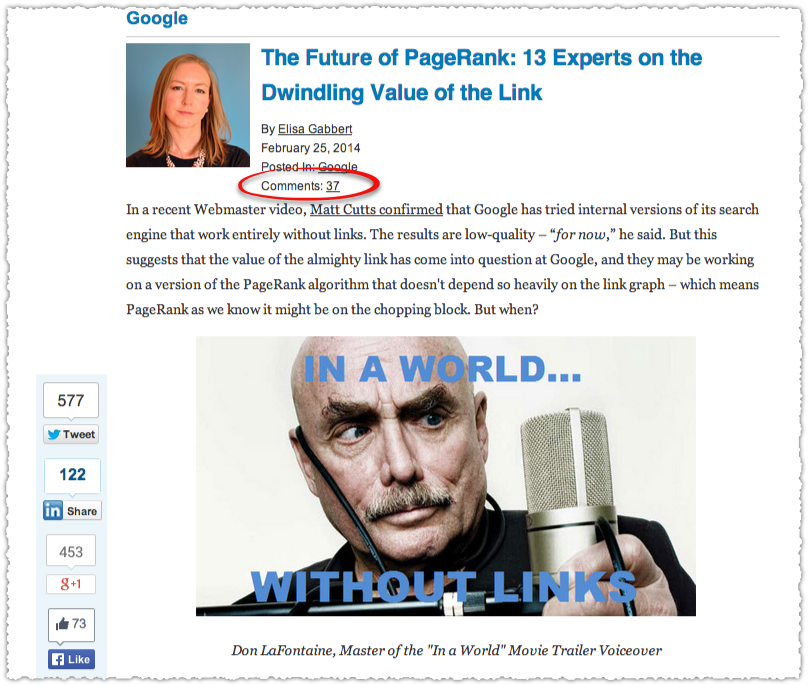
Knuckleballs

In general I think mega menus suck. Of course there are exceptions but they are few and far between. The mega menu is a knuckleball. Sure you can attempt it, but the odds are you’re going to screw it up. And there are plenty of other ways you can implement navigation that will be as or even more successful.

When something has such a high level of difficulty you can’t just point to implementation and execution as the problem. When a UX pattern is widely misapplied is it really that good of a UX pattern?

Personas also seem to be all the rage right now. Done the right way personas can sometimes deliver insight and guidance to a marketing team. But all too often the personas are not rooted in real customer experiences and devolve into stereotypes that are then used as weapons in cross-functional arguments meetings. “I’m sorry, but I just don’t think this feature speaks to Concerned Carl.”

Of course implementation and execution matter. But when you consistently see people implementing and executing something incorrectly you have to wonder whether you should be recommending it in the first place.

Pitching coaches aren’t pushing the knuckleball on their pitching staffs.

Can You Throw a Knuckleball?

Cat Eats Toy Baseball Players

The problem is most people think they can throw the online equivalent of the knuckleball. And unlike the baseball diamond the feedback mechanism online is far from direct.

Personas are created and used to inform your marketing strategy and there is some initial enthusiasm and some minor changes but over time people get tired of hearing about these people and the whole thing peters out along with the high consulting fees which are also conveniently forgotten.

The hard truth is most people can’t throw the knuckleball. And that’s okay. You can still be a Cy Young Award winner. Tim Lincecum does not throw a knuckleball.

How (and When) To Throw The Knuckleball

This doesn’t mean you shouldn’t be taking risks or attempt to throw a knuckleball once in a while. Not at all.

However, you shouldn’t attempt the knuckler simply because it is difficult or ‘more elegant’ or the hottest new fad. You can take plenty of risks throwing the slider or curve or change up, all pitches which have a higher chance of success. In business terms the risk to reward ratio is far more attractive.

If you’re going to start a knuckleball project you need to be clear about whether you have a team that can pull it off. Do you really have a team of A players or do you have a few utility guys on the team?

Once you clear that bit of soul searching you need to be honest about measuring success. A certain amount of intellectual honesty is necessary so that you can turn to the team and say, you tossed that one in the dirt. Finally, you need a manager who’s willing to walk to the mound and tell the pitcher to stop futzing with the knuckleball and start throwing some heat.

TL;DR

The Internet has a knuckleball problem. Too many are attempting the difficult without understanding the high probability of failure while ignoring the less difficult that could lead to success.

Google Changed My Title

December 04 2011 // SEO // 12 Comments

I recently blogged about Google changing my Title tag and using the URL instead. While this particular variant was new to me, I’ve been tracking how Google changes Titles for quite some time.

Google reserves the right to change your Title and has been experimenting with different Title algorithms for at least eighteen months. Here’s a quick primer on when and why Google changes Titles.

The Title Tag

First things first. What is the Title tag? The <title> tag is placed in the <head> to define the title of that document (aka web page.)

Title Tag HTML Example

The Title determines what is shown in a browser tab and is prominently displayed in search engine results.

How the Title Tag Shows Up in Google Search Results

The Title shows up as the blue link in search results. Not only is the Title a very strong search engine signal, it’s what users see first when scanning search results. Getting your Title right should be near the top of your SEO checklist.

Why Google Changes Titles

The reason Google changes Titles is almost always to better serve the query and aide the user. Sometimes these changes are made for obvious reasons and other times the reasons are more complex.

No Title Tag

Sometimes people screw up (big time) and a page doesn’t have a Title. If the content is solid and useful, Google steps in to provide you with a Title.

Thank You Captain Obvious

Duplicate Title Tag

The bane of many an SEO, sometimes each page on a site has the same Title. Once again, Google steps in to provide assistance for this blunder while the SEO curses the developer.

Generic Title Tag

Sometimes Google feels like it knows better and will replace a generic title tag with something it believes is more appropriate. For instance if your Title for the home page is, in fact, ‘Home Page’ then Google may decide to generate a more specific Title that will be more useful for users.

This is probably how Google began testing their Title algorithms, starting with the least focused Titles and seeing how they could change them to better match queries and increase click-through rates.

Title Tag Append

At times, Google won’t completely change your Title but instead will add to it by putting the domain name at the end of your Title. The notion here is that the domain provides some additional and valuable context to users.

This is more important then it looks in my opinion. It tells me that the URL is not being used by mainstream users. They’re simply not seeing the URL most of the time because they’re scanning the results, not reading them.

Moving the URL directly below the Title (something Google did recently) means that it is likely more important than the meta description. The domain can be a signal of trust if a user has an affinity for that site through personal experience or other marketing efforts.

The domain append is Google’s attempt to help you brand your result.

Specific Title Tag

That finally leaves us with the last and most drastic Title change. Google will actually switch a very specific Title tag with something it believes might be better for the user. This means they’re changing a perfectly good Title you probably spent time carefully crafting.

Googlebot Wants To Help You

Specific Title tag changes are most often related to the query. Google is looking to increase the perceived relevance of that result by using the search term in the title, much as PPC professionals understand the need to have keyword terms in their ads.

This practice takes advantage of the natural scanning behavior of users. They’re not reading every search result, they’re scanning those results and are simply looking for their search term.

If your Title doesn’t have the search term (but it is a match for that query based on the content) Google wants to give that result a fighting chance.

Without the search term in the Title, a substantial number of users will simply not see your result. They’ll skip over it since it doesn’t seem like it’s relevant. Remember, users are doing this at breakneck speed and making nearly instantaneous decisions as to whether each result is relevant or not.

Google changes your Title because they think it’ll help increase the click-through rate on your result.

Of course, I’ve also seen Google change Titles even when the keywords were present in the original Title. Most often they replaced a shorter keyword with a keyword phrase. I haven’t seen much of this lately so this may have been a test that didn’t pan out.

How Google Changes Titles

Google is changing Titles based on a series of on-going algorithmic tests. While I don’t know the specifics, I do know that they are first looking for a candidate pool - documents that should be returned for a query based on their content (but aren’t) or documents that score well in relevance but have very low click-through rates for specific queries.

These are but a few ideas of how Google might be defining a candidate pool, but the object is to find under-performing but valuable content and see if a different Title improves user satisfaction. This might be measured for that specific result or for the entire SERP for that query.

Once Google identifies a candidate pool they work on constructing their own Title. Most often this is done by extracting words from the on-page content of that page. This is similar to what Google will do when they write their own meta description.

Of course, we’ve now seen that Google might also use the URL to construct a Title. Perhaps this is part of Google’s on-going Title algorithm experimentation? Creating readable Titles from on-page content isn’t easy. So maybe Google’s thinking the URL might be a shortcut when it includes the target keyword. A parsed URL might actually conform to natural language better than extracted and combined keywords or keyword phrases.

The research performed for the URL Titles post also shows that Google can dynamically change the Title based on the query. So unless you’re really paying attention, Google could be changing your Titles and you wouldn’t even know it.

Is Changing Titles Good or Bad?

Should you be outraged or thanking Google for changing Titles? Both probably.

Google is only doing this because it wants to improve search quality and user satisfaction. Not only that but Google can measure the impact of these changes in a very holistic way. It’s not just about improving click-through rate. They’re looking at the pogosticking behavior and other user satisfaction signals to calculate the real impact of these Title changes.

This means you might get better and more focused traffic to your page because Google is refining and calibrating the Title.

On the other hand, Google is essentially providing help to certain pages within a SERP. So the site that can’t figure out how to create proper Titles might wind up getting more traffic because Google took pity on them. (Sure the user is better served but … cold comfort for you eh?)

You’re also trusting that Google does know best. Sometimes they do and sometimes they don’t. Unfortunately we don’t have transparency as to how or how many times our Titles are changed, for what queries and to what outcome.

This may also drive marketing managers absolutely bananas since they want complete control over their brand. (You know the type.) That lack of control could be troublesome and also send the wrong signal to site owners. The last thing you should come away with is to think Google will simply fix your poorly conceived Titles.

TL;DR

Google changes your Title for a number of reasons when it believes it can improve relevance and user satisfaction. The emphasis on changing the Title, particularly in matching the Title to the query term, reinforces its importance and supports the scanning behavior users employ on search results.

URL Titles

December 02 2011 // SEO // 24 Comments

The other day I noticed something strange happening. Google was using my URL as the Title instead of my own Title tag.

Not Provided Keyword Google Search

Upon seeing this I kind of freaked out and immediately went to check the Title settings on this post. Everything was in order but I was using the original ‘Stop Whining About (Not Provided)’ Title tag.

At the time I was not the first result for this query. But I changed the Title to ‘Not Provided Keyword In Google Analytics‘ and a day or so later I bounced up to number one for this term. The URL as Title still remains though, which is pretty annoying.

URL Titles

So I started to poke around looking for other examples of this URL as Title behavior. It didn’t take me long to find one.

Cut Up Learning Google Search Result

I checked to make sure I hadn’t botched the Title and found , again, that everything was in order. The Title I had for the post was ‘Is Information Overload Really a Problem?‘ But here’s the thing, I can get that Title to display on a search result.

Information Overload Not a Problem Google Search Result

That’s the same post but I used the search term ‘information overload not a problem’ instead. So what’s going on here?

Google Title Match

Google wants to match the Title of a result to the query when it believes the content of that result is relevant to the query. So if someone is actually searching for ‘cut up learning’ Google has determined that my post is highly relevant. However they replace my Title, which has none of those keywords in it, with my URL which actually does.

Here’s another example.

Influence Metric Google Search Result

My Title tag does not include the word ‘metric’ so Google decides to use my URL for the Title instead. Again, I can get my Title to display using a different query.

Titles Matter

If you haven’t figured it out yet, Titles matter … a lot. So much so that when Google wants to return a result it will change the Title to better match the query. The reason for this is simple. Users scan for and assign higher relevance to Titles that include their query.

Just between you and me, I believe that exact match query Titles are perhaps the most underrated SEO tactic. I’ve actually got some research to back that up which I’m hoping I might get to share in the future.

Can’t Google Parse URLs?

While I appreciate that Google is trying to do me a solid here and get my post in front of the ‘right’ queries, it would be nice if they could parse the URL and make it readable.

So cut-up-learning would become ‘Cut up learning’ or ‘Cut Up Learning’ if they used title casing. This would certainly be a better experience for users who are quickly scanning search results. Playing my own devil’s advocate here, the odd URL as Title could actually break the visual flow and create more emphasis but … I doubt it.

How about it Google, can we render the URL as Titles so they’re a bit more readable?

Using URL Titles

At this point you might be interested or outraged depending on your perspective, but what can you do with this newly acquired information?

First off, you should look at the keyword clusters for your popular content. What you’re looking for are terms that aren’t in your Title but might be in your URL. Based on what you find you can then change your Title so that it is capturing a greater breadth of matching queries.

The other interesting idea is to use this as a dual targeting tactic. You can deliberately target one keyword term or modifier in the Title and another in the URL. Then watch to see which one drives more traffic and adjust accordingly (or not if you’re happy with things the way they are.)

At the end of the day when you see this URL as Title behavior Google is telling you, clearly, that it wants to return your content for that query. So pretend Google is EF Hutton and listen … closely.

TL;DR

Google is replacing Titles with the URL when the URL delivers more relevance based on the user query. This URL as Title behavior reveals just how important Titles are to users and, by extension, to SEO.

Not Provided Keyword Not A Problem

November 21 2011 // Analytics + Rant + SEO // 14 Comments

Do I think Google’s policy around encrypting searches (except for paid clicks) for logged-in users is fair? No.

Fair Is Where You Get Cotton Candy

But whining about it seems unproductive, particularly since the impact of (not provided) isn’t catastrophic. That’s right, the sky is not falling. Here’s why.

(Not Provided) Keyword

By now I’m sure you’ve seen the Google Analytics line graph that shows the rise of (not provided) traffic.

Not Provided Keyword Google Analytics Graph

Sure enough, 17% of all organic Google traffic on this blog is now (not provided). That’s high in comparison to what I see among my client base but makes sense given the audience of this blog.

Like many others (not provided) is also my top keyword by a wide margin. I think seeing this scares people but it makes perfect sense. What other keyword is going to show up under every URL?

Instead of staring at that big aggregate number you have to look at the impact (not provided) is having on a URL by URL basis.

Landing Page by Keywords

To look at the impact of (not provided) for a specific URL you need to view your Google organic traffic by Landing Page. Then drill down on a specific URL and use Keyword as your secondary dimension. Here’s a sample landing page by keywords report for my bounce rate vs exit rate post.

Landing Page by Keyword Report with Not Provided

In this example, a full 39% of the traffic is (not provided). But a look at the remaining 61% makes it pretty clear what keywords bring traffic to this page. In fact, there are 68 total keywords in this time frame.

Keyword Clustering Example

Clustering these long-tail keywords can provide you with the added insight necessary to be confident in your optimization strategy.

(Not Provided) Keyword Distribution

The distribution of keywords outside of (not provided) gives us insight into the keyword composition of (not provided). In other words, the keywords we do see tell us about the keywords we don’t.

Do we really think that the keywords that make up (not provided) are going to be that different from the ones we do see? It’s highly improbable that a query like ‘moonraker steel teeth’ is driving traffic under (not provided) in my example above.

If you want to take things a step further you can apply the distribution of the clustered keywords against the pool of (not provided) traffic. First you reduce the denominator by subtracting the (not provided) traffic from the total. In this instance that’s 208 – 88 which is 120.

Even without any clustering you can take the first keyword (bounce rate vs. exit rate) and determine that it comprises 20% of the remaining traffic (24/120). You can then apply that 20% to the (not provided) traffic (88) and conclude that approximately 18 visits to (not provided) are comprised of that specific keyword.

Is this perfectly accurate? No. Is it good enough? Yes. Keyword clustering will further reduce the variance you might see by specific keyword.

Performance of (Not Provided) Keywords

The assumption I’m making here is that the keyword behavior of those logged-in to Google doesn’t differ dramatically from those who are not logged-in. I’m not saying there might not be some difference but I don’t see the difference being large enough to be material.

If you have an established URL with a history of getting a steady stream of traffic you can go back and compare the performance before and after (not provided) was introduced. I’ve done this a number of times (across client installations) and continue to find little to no difference when using the distribution method above.

Even without this analysis it comes down to whether you believe that query intent changes based on whether a person is logged-in or not? Given that many users probably don’t even know they’re logged-in, I’ll take no for 800 Alex.

What’s even more interesting is that this is information we didn’t have previously. If by chance all of your conversions only happen from those logged-in, how would you have made that determination prior to (not provided) being introduced? Yeah … you couldn’t.

While Google has made the keyword private they’ve actually broadcast usage information.

(Not Provided) Solutions

Keep Calm and SEO On

Don’t get me wrong. I’m not happy about the missing data, nor the double standard between paid and organic clicks. Google has a decent privacy model through their Ads Preferences Manager. They could adopt the same process here and allow users to opt-out instead of the blanket opt-in currently in place.

Barring that, I’d like to know how many keywords are included in the (not provided) traffic in a given time period. Even better would be a drill-down feature with traffic against a set of anonymized keywords.

Google Analytics Not Provided Keyword Drill Down

However, I’m not counting on these things coming to fruition so it’s my job to figure out how to do keyword research and optimization given the new normal. As I’ve shown, you can continue to use Google Analytics, particularly if you cluster keywords appropriately.

Of course you should be using other tools to determine user syntax, identify keyword modifiers and define query intent. When keyword performance is truly in doubt you can even resort to running a quick AdWords campaign. While this might irk you and elicit tin foil hat theories you should probably be doing a bit of this anyway.

TL;DR

Google’s (not provided) policy might not be fair but is far from the end of the world. Whining about (not provided) isn’t going to change anything. Figuring out how to overcome this obstacle is your job and how you’ll distance yourself from the competition.

Mozilla Search Showdown

November 15 2011 // SEO + Technology // 4 Comments

Mozilla’s search partnership with Google expires at the end of November. What happens next could change search engine and browser market share as well as the future of Mozilla.

The Mozilla Google Search Partnership

Originally entered into in November 2004 and renewed in 2006 (for 2 years) and 2008 (for 3 years), the search partnership delivers a substantial amount of their revenue to Mozilla. In fact, in 2010 98% of the $121 million in revenue came from search related activity.

The majority of Mozilla’s revenue is generated from search functionality included in our Firefox product through all major search partners including Google, Bing, Yahoo, Yandex, Amazon, Ebay and others.

Most of that search revenue comes specifically from Google. The ‘Concentrations of Risk’ section in Mozilla’s 2009 (pdf) and 2010 (pdf) consolidated financial statements put Google’s contribution to revenue at 91% in 2008, 86% in 2009 and 84% in 2010.

Using the 2010 numbers, Mozilla stands to ‘lose’ $3.22 per second if the partnership expires. Mozilla is highly dependent on search and Google in particular. There’s just no way around that.

What does Google get for this staggering amount of money?

Firefox Start Page

Google is the default search bar search engine as well as the default home page. This means that Firefox drives search after search to Google instead of their competitors.

Browser Share

Clearly browsers are an important part of the search landscape since they can influence search behavior based on default settings. As Mozilla points out, in 2002 over 90% of the browser market was controlled by Internet Explorer. At the time it made perfect sense for Google to help Mozilla break the browser monopoly.

The rise of Firefox helped Google to solidify search dominance and Mozilla was paid handsomely for this assistance.

However, it doesn’t look like Google was comfortable with this lack of control. Soon after the announced renewal of the search partnership in 2008 Google launched their own browser. At the time, I wrote that Chrome was about search and taking share from Internet Explorer.

Browser Market Share 2011

I still think Chrome is about search and the trend seems to indicate that Chrome is taking share (primarily) away from Internet Explorer. In short, Google sought to control its own destiny and speed the demise of Internet Explorer.

Mission accomplished.

Chrome is now poised to overtake Firefox as the number two browser. That’s important because three years ago Google had no other way to protect their search share. Chrome’s success changes this critical fact.

Toolbars

Toolbars were the first attempt by search engines to break the grip of Internet Explorer. Both Google and Yahoo! used toolbars as a way to direct traffic to their own search engines.

What happened along the way was an amazing amount of user confusion. Which box were you supposed to search in? The location (or address) bar, the search box or the toolbar?

This confusion created searches in the location bar and URL entries in the search bar. Savvy users understood but it never made much sense to most.

Location Bar Search

The result? For those that figured it out there is evidence that people actually enjoyed searching via the location bar.

How many searches are conducted per month via the address bar? MSN wouldn’t release those figures, but it did say that about 10 to 15 percent of MSN Search’s overall traffic comes from address bar queries.

The company has analyzed the traffic from users who search via the address bar and discovered both that the searches appear intentional in nature, rather than accidental, and that those making use of address bar searching do so frequently.

This data from 2002 indicates that the location bar default might be very valuable. Sure enough, the location bar default is part of the search partnership Mozilla has with Google.

Firefox Location Bar Search Default

This also happens to be the most difficult setting to change. You can change the search bar preference with a click and the home page with two clicks, but the location bar is a different (and convoluted) story.

Firefox About:Config Warning

Most mainstream users aren’t going to attempt entering about:config into their location bar, but if they do this first screen will likely scare them off.

I recently had to revisit the location bar default because I took Firefox for Bing for a spin. This add-on, among other things, changes the location bar default to Bing and it remains that way even after the add-on is removed. That’s a serious dark pattern.

All of this makes me believe that the location bar might be the most valuable piece of real estate.

Omnibox

Having helped create confusion with their toolbar (now no longer supporting Firefox 5+) and seen the value of location bar searches, Chrome launched the omnibox, a combined location and search bar. The omnibox reduced confusion and asked users to simply type an address or search into one bar. Google would do the rest. Of course, the default for those searches is Google.

The omnibar seems to be a popular feature and why wouldn’t it be? Users don’t care what field they’re typing in, they just want it to work. You know who else thinks this is a good idea? The Firefox UX Team.

Firefox Omnibar

While these mockups are for discussion purposes only, it’s pretty clear what the discussion is about. According to CNET, a combined Firefox search-and-location bar is being held up by privacy issues. That was in March and the latest release of Firefox (just last week) still didn’t have this functionality.

Back in late 2009 Asa Dotzler had a lot to say about the independence of Firefox and how they serve the user.

Mozilla’s decisions around defaults are driven by what’s best for the largest number of users and not what’s best for revenue.

It’s not about the money. The money’s there and Mozilla isn’t going to turn it down, but it’s not about the money. It’s about providing users with the best possible experience.

Great words but have they been backed up with action? Both users and the Firefox UX Team are lobbying for an omnibox, the Firefox for Bing add-on is a clear dark pattern and the ability to change the default location bar search engine is still overly complicated.

Is this really what’s best for users?

Don’t Count On Inertia

If Mozilla were to switch horses and cut a search deal with Bing, they’d be counting on inertia to retain users and their current search behavior. The problem is that Firefox was marketed as the solution to browser inertia.

Before Firefox many users didn’t even understand they could browse the Internet with anything but Internet Explorer. Those same users are now more likely to switch.

It’s sort of like being the other woman right? If he cheats with you, he’s also liable to cheat on you.

With a search bar still in place users can easily change that default. Firefox would be counting on location bar searches and the difficulty in changing this default to drive revenue. You might get some traction here but I’m guessing you’d see browser defection, increased search bar usage and more direct traffic to the Google home page.

With an omnibar in place Firefox would be running a very risky proposition. Many mainstream users would likely migrate to another browser (probably Chrome). More advanced Firefox users would simply change the defaults.

You could move to an omnibar and make the default easy to change, but both Firefox and users have made it abundantly clear that they prefer Google. So how much would a Bing search partnership really be worth at that point?

Can Bing Afford It?

Bing is losing money hand over fist so it’s unclear whether Bing can actually pony up this type of money anyway. If they did, it could cause browser defection and other behavior that would rob the search partnership of any real value and put Firefox at risk.

Even if Bing pirated half of the searches coming from Firefox, that’s not going to translate into a real game changer from a search engine market share perspective.

Mozilla could partner with Bing but I don’t think either of them would like the results.

Mozilla in a Pickle

Mozilla In a Pickle

If Google is the choice of users (as Firefox claims) installing a competing default search engine may hasten the conversion to Chrome. This time around Mozilla needs Google far more than Google needs Mozilla. I’m not saying that Google doesn’t want the search partnership to continue, but I’m betting they’re driving a very hard bargain.

Google no longer has a compelling need to overpay for a search default on a competing browser. I have to believe Mozilla is being offered a substantially lower dollar amount for the search partnership.

I don’t pretend to know exactly how the partnership is structured and whether it’s volume or performance based but it really doesn’t matter. Google paid Barry Zito like prices back in 2008 at the height of the economic bubble but the times have changed and Google’s got Tim Lincecum (Chrome) mowing down the competition.

Mozilla and Google are playing a high stakes game of chicken. The last renewal took place three months prior to the expiration. We’re down to two weeks now.

This time the money might not be there.

TL;DR

The search partnership between Mozilla and Google expires at the end of November. The success of Chrome gives Google little incentive to overpay for a search default on Firefox. This puts Mozilla, who receives more than 80% of their revenue through the Google search partnership, in a poor position with few options.

Google Cached Pages Gone?

November 06 2011 // SEO // 7 Comments

I’ve seen a number of people asking why the cached page link has disappeared from Google search results.

Don’t worry, it’s not gone, it’s just been moved.

Cached Link in Instant Preview

Google Cached Link in Instant Preview

The cached and similar links are now in the instant preview which is activated when you mouse over a result and then hover over the double arrow.

My guess is that these links are not widely used, so moving them to the instant preview retains the functionality but removes some weight from search results. That’s important given all of the rich snippets, site links, social annotations and authorship being packed into search results.

In all, I like the change. However, the fact that so many can’t seem to find the link does make me wonder about the instant preview feature and whether the interaction is truly intuitive.

Mega Menus are Mega Awful

October 20 2011 // SEO + Web Design // 29 Comments

I hate mega menus. There, I said it.

Home Depot Mega Menu

Here are five different perspectives that illustrate why I dislike mega menus.

As a User

Whac-A-Mole Game

Many mega menus are often hard to use. Some are like a game of whac-a-mole, trying to get a cascading menu to expand and stay open so you can click on the right link.

Other times they’re too sensitive, opening when you nick them with your mouse and interrupting normal browse activity. Not to mention some simply don’t behave the same in different browsers.

Sure, some mega menus don’t create this type of technical frustration. Yet even when they don’t there is no standard mega menu interaction. Click to open or hover to open? Click to destination or click to reveal sub-menu? Users have to learn what actions produce what results.

Is this how you want your user spending their time?

As a Scientist

The theory behind mega menus is that they’re supposed to get us to the ‘right’ information faster. Clicks are seen as pesky obstacles to be avoided at best and inherently bad at worst.

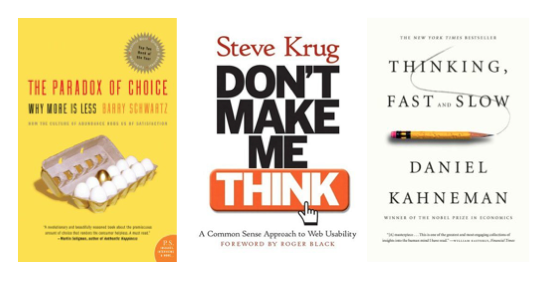
In the quest for fewer clicks, more choices are offered. But more choices often lead to fewer productive outcomes and less satisfaction. This is The Paradox of Choice, something I’ve blogged about numerous times. Studies have shown, again and again, that more is less.

Mega menus usually present an overwhelming number of choices to the user. As the adage goes ‘a confused mind always says no.’

Mega Menu is The Where's Waldo of Navigation

You’re also trusting that the user knows exactly what they want and forcing them to find it. Mega menus are the Where’s Waldo of navigation. You’re making the user do all the work. Frankly, I don’t need to be a scientist to know this is not a good thing.

As an Editor

An editor is supposed to bring focus to an endeavor, whether it be a book, magazine, website or film. Their job is to trim what is unnecessary and highlight what is important. Instead, mega menus make everything important. We know that’s just not true.

Mega menus are often born out of the ‘but what about’ problem. It’s the idea that if you don’t show the user everything you offer (all at once), then they’ll never find it.

Imagine if this same philosophy was applied to a magazine cover? Every section and article would have teaser text on the cover shattering any type of editorial tone or direction.

Mega menus are an abdication of the editorial process and thereby fail to provide guidance and expertise to your users. Even from a profit perspective, do you want to feature your low margin categories as prominently as your high margin categories? Seriously, think about it.

You might as well fire your editor if you’re just going to pack every sub-category under the sun into your mega menu.

As a Marketer

Marketing is about telling a story and providing context to help users make a decision. If a user jumps to the end without any of the background, you’ve lost the ability to tell that story and provide vital guideposts along the way.

An article in UX Movement does a great job of describing this journey.

As users view page content, they can click on any link they find interesting. This takes them to another page of content with links they can click that leads to another page of content with more links and so forth. Before users know it, they will have consumed multiple pages of content through the clicking of content navigation links. That’s true engagement.

Clicks and additional page views are not evil. Users feel good about a click when it leads to appropriate information and content. I made a decision and I got what I was looking for. Even if that leads to yet another decision tree, that’s okay!

Choose Your Own Adventure Logo

Create easy and rewarding decisions that allow you to lead your users through an experience. I’m reminded of the Choose Your Own Adventure books where certain decisions throughout the story lead to certain outcomes. It wouldn’t be nearly as satisfying if the first choice you made was between all the different outcomes.

The story matters.

As an SEO

Mega menus often result in an astounding number of internal links that ruin any sort of contextual relevance between categories or content. Take L.L. Bean for instance.

LL Bean Mega Menu

Their mega menu is displayed on each and every page. Here I’ve triggered the mega menu for Hunting & Fishing from the Luggage category. Even on a product page there are over 400 internal links.

Now, I’m not saying that PageRank is the end all to be all, but you’re doing yourself no favors by splitting trust and authority into 400+ pieces.

Not only that but the links wind up being completely illogical. A page about sleeping bags also links to one about lunch boxes. A page about carry-on luggage also links to one about blouses. And that page about blouses links to one about gun accessories. Huh?

Mega menus can wreak havoc on internal link structures. You can minimize the problem by only showing portions of that mega menu based on context, but all too often that isn’t how they are implemented.

But Jakob Nielsen Says …

Yes, in March 2009 Jakob Nielsen endorsed mega menus. I have a great deal of respect for Nielsen and have found most of his research to be enlightening and extremely useful. Yet, I find it tough to determine what exactly was measured in that study. Was it the ability to navigate? Task completion? Satisfaction?

Nielsen himself backed away a bit from the ubiquity of mega menus in November 2010, though he maintains it’s about how mega menus are constructed and designed.

My own research and experience (not just personal anecdotes but in working with clients) leads me to different conclusions. I’ve never been one to blindly follow experts and instead bring my own critical thinking to the task and look to test assumptions. I encourage you to do the same.

TL;DR

Mega menus are often difficult to use, shift the burden of navigation to the user, reduce or eliminate editorial expertise, hamstring marketers and create SEO headaches. The road to hell is paved with good intentions. Mega menus mean well but usually wind up doing more harm than good.

SlideShare SEO

October 17 2011 // SEO // 16 Comments

How tough is it to use SlideShare to rank for a keyword term? Here’s my experiment with SlideShare SEO.

SlideShare SEO

The Term

I selected the term ‘what is bounce rate’ because I see a number of questions surrounding this topic and had wanted to expand on my Bounce Rate vs Exit Rate blog post.

According to Google ‘what is bounce rate’ (exact match) gets 2,400 monthly searches. Not bad.

Using SEOmoz the keyword difficulty for ‘what is bounce rate’ is 59% or Highly Competitive.

SEOmoz Keyword Difficulty for 'What is bounce rate?'

Unfortunately I didn’t capture this before my test. So what you’re seeing is the current keyword difficulty including my own contribution at position 6.

The Presentation

Your presentation should be awesome. That’s right, awesome. Don’t start doing SlideShare SEO with the idea that you’ll crank out a bunch of half-assed PowerPoint presentations and call it a day.

You are marketing your brand so you better put your best foot forward (and your brand in the header or footer on each page.) You want people to share your presentation on social platforms and you want them to click-through to your website as a result of being blown away by your deck.

Here’s the presentation I created for this experiment.

What Is Bounce Rate?

Account and Upload

I started a brand new account for this test, which ensures that the strength of a SlideShare account (however that is measured) is not influencing the rankings.

You can upload your presentation as a document, PowerPoint Presentation or PDF. While I don’t think the file name is used for ranking purposes, it can’t hurt to make it a keyword rich file name.

It should also be noted that you can replace the file after the fact without completely destroying the SEO value you’ve built up.

I know this because I realized that part of my footer was text instead of an image and that my diagrams were too small. I made changes and replaced the presentation without losing any of the social signals I’d built up previously. This is a really nice feature.

On that first upload you are asked to fill out the Title, Description, Tags and Category for your presentation. These are important sections that can make a difference in whether your presentation gets seen on SlideShare or Google.

Title and Meta Description

How to SEO a SlideShare Presentation

The Title and Description fields of your SlideShare presentation match up with traditional browser title and meta description.

Title

For the Title you should follow normal SEO guidelines and keep it under 70 characters. However, Google is appending the domain name to the title so you may want to keep it to 50 characters to ensure your title appears the way you want.

I chose to match the query with my presentation title. I strongly recommend you do this if it makes sense. In addition, the title of your presentation is the default link used in the embed code. That means very strong keyword rich anchor text for every embed.

Description

SlideShare gives you a massive amount of space for the description. Perhaps this helps on SlideShare itself but it’s not doing much for you from an SEO perspective. Instead I’d work on creating a meta description of no more than 160 characters that matched the query and user intent.

Tags

You get up to 20 tags so use a number of them to account for all the ways in which people might search for this type of content. Tags provide some added exposure on SlideShare since you’ll be included on topic pages for these tags. As an added bonus, the tags also count as text on the page. They do not, however, translate into meta keywords, not that those would be useful any way.

Category

The category is SlideShare specific and is only important to SlideShare SEO in that picking the right category ensures that your presentation finds the right audience, racking up views, shares and embeds. Frankly, the category selections are pretty weak and are too broad for any type of meaningful targeting.

Transcript

SlideShare transcribes your presentation. This is how search engines are able to ‘see’ the presentations! Optimizing SlideShare for SEO starts with ensuring that your presentation is focused and contains keyword rich text.

SlideShare Transcript is Text for Search Engines

From what I can tell SlideShare does not transcribe alt image text nor do they include text in notes fields. The latter seems like a way to prevent spamming and ensures that the user and search engine are seeing the same thing.

Social

SlideShare Social Signals

Social signals, the number of Tweets, Shares, Likes and +1s, play a part in ranking SlideShare presentations. How much is tough to tell.

I sent out Tweets and posted on G+ a few times. But I didn’t exactly knock it out of the park with social unless you count the number of views, which at nearly 1,500 is pretty substantial.

Does the number of views play a part in ranking? I’m not sure, though I suspect it helps. Even if it doesn’t, it does help you get more exposure on SlideShare (via the popular navigation) and you’ve gotten your brand in front of a lot more people.

Finally, the number of embeds is important since they both increase the number of views and produce back links to your presentation.

Links

What about those links? After I uploaded the presentation I took a spin around Quora and answered a few questions on bounce rate and linked to this presentation. I also went back to my Bounce Rate vs Exit Rate blog post and linked to it from there as well. In all, I generated four links across two domains.

In short, I didn’t do much.

Time

I opened the account on August 17th, 2011 and uploaded the presentation on August 19th, 2011. The next day I ranked 10th for the term and for the next 6 weeks moved back and forth between 9th and 11th.

And then one day, out of nowhere, I began to rank higher. This is actually a very good lesson for any SEO. Time can be valuable and patience can be rewarded. Sometimes things have to cure for a while before they click.

Results

At present my SlideShare presentation sits 7th for the term ‘what is bounce rate’.

Google Ranking for SlideShare What is Bounce Rate? Presentation

That’s not bad, though I’d like to see if I can push it up farther over time. Looking at the downstream traffic from SlideShare I’m pretty sure I ranked well above 7th for at least a day.

Traffic from SlideShare What is Bounce Rate Presentation

Thus far I’ve received 125 visits from this presentation. Better than a sharp stick in the eye.

What I Did Right

I found a good keyword, created a valuable presentation (that was keyword rich), optimized the title and description and scraped together a few social signals and links.

What I Did Wrong

I used a lot of images in my presentation which reduced the amount of text search engines are seeing. I also botched my first upload which may have extended the amount of time it took to get things rolling. Finally, I didn’t do nearly enough to market this presentation to obtain social signals and links.

SlideShare or Blog?

While I may have 1,500 views I only received 125 direct visits. I’m sure some people come back later to my site via other channels (based on viewing the presentation), but it still looks like I’m only getting ~8% of the post click traffic. I could upgrade to SlideShare Pro to get more analytics but I’m not keen to spend $190/year right now.

So is it really worth it to use SlideShare?

One thing to remember is that you’re piggybacking on SlideShare’s domain authority. So a good SlideShare presentation may be an easier way to land a high rank rather than your own blog. And there’s nothing that says you can’t target the same term, or an associated term with your blog. It would be interesting to see if you could take up shelf space on a SERP with your own blog and a SlideShare presentation. All roads lead to Rome!

There are also some topics that are best covered with a presentation versus as blog post, and vice versa. So don’t fit a square peg into a round hole.

Finally, SlideShare is about marketing. Not just search marketing, but marketing yourself, your brand, your business and your services.

Cut Up Learning

October 03 2011 // Life + Technology // 6 Comments

Is information overload a problem our new digital society must solve or are we changing how we learn?

Information Overload

We’ve gone from a handful of TV channels to more than 500; from a few radio stations to streaming music on demand; from reading the local newspaper to reading publications from around the world.

The Extracting Value from Chaos report from IDC iView provides a staggering overview of our digital footprint.

In 2011, the amount of information created and replicated will surpass 1.8 zettabytes (1.8 trillion gigabytes) – growing by a factor of 9 in just five years.

It’s not just digital either. We see this trend in the publishing industry where print-on-demand and self-published books have skyrocketed (pdf).

Book Publishing Statistics Graph

This does not include Audio or eBooks.

Of course, we’re also sharing all of this information at an accelerated rate.

Facebook Law of Sharing Graph

Zuckerberg’s Law of Sharing states that sharing activity will double each year.

You know that information is increasing, but you might not realize just how much and how fast it is increasing.

Curation

As the amount of information increases many have looked at ways to sift through and make sense of it all. The goal is to find signal amid the noise. Plenty of folks are trying to apply different techniques and algorithms to winnow things down to only the most interesting and relevant.

KnowAboutIt, XYDO, My6Sense, Trunk.ly and Summify among others are all trying to cull the web and deliver the ‘right’ information to your inbox.

Aggregated social curation sounds logical but I haven’t found it very valuable. I find the stuff I already read (or would have found) anyway. Maybe it works if you’re not drinking from the information hose, but most of us are doing more of that in one way or the other. I can’t imagine relying on just these services for my information.

Many believe that serendipity is an important part of information consumption, but most of the services give this lip service at best. They’re doing more of what a good brand marketer would do, cranking out extensions to a known product. In this case that product is the type of content that you and your network of ‘friends’ are reading. I think you quickly reach a local maxima where you’re not finding new things and making new connections.

Today’s curation seems more like an echo chamber.

Distraction

Info Freako by Jesus Jones

Nicholas Carr thinks the Internet is doing evil things to us and Google might be making us stupid. NPR books summarizes Carr’s thesis as follows.

Carr believes that the Internet is a medium based on interruption — and it’s changing the way people read and process information. We’ve come to associate the acquisition of wisdom with deep reading and solitary concentration, and he says there’s not much of that to be found online.

Carr might be right about the distraction of the Internet. But this is but one way in which we acquire information. I watch two hour movies straight through, can read a book for hours at a stretch and still conduct lengthy phone calls. The idea that we can only process information in one way seems like an odd conclusion. It would be like saying that because we possess the ability to drive that athletic prowess will decline.

Taking it a step further, there is an assumption that we process information uniformly. Here’s where fiction helps reveal a greater truth. The Ghost In Love by Jonathan Carroll explores the division of personality. We are different people throughout our lives, day-by-day and even different people at the same time.

How can we be kind when you were so mean to that stranger the other day? How can we be intelligent when you made such a stupid mistake the other week? Many people struggle with this seeming paradox. But we’re not robots! We’re not just one monolithic entity that does things the same way every day. Not only do we evolve over time (just think about your musical tastes) but we’ll react to information in different ways on an hourly basis. Much of this has to do with context, but I think there are more complex factors at work.

So why do we persist in this notion that we can only comprehend information in one way. That’s just patently untrue.

Cut-Up Learning

The cut-up technique was made popular by William Burroughs and is performed by cutting up content and putting it back together in a different order. By doing so, it reveals new words, new insight and new meaning. It’s a type of non-linear learning.

I believe the Internet, the great distractor, is a digital version of the cut-up technique. It is actually more powerful because we can cut-up more information from a wide variety of topics and mediums.

We’re so consumed with capturing just the right thing, those few articles that will provide insight, that we miss the opportunity to piece together and make connections to a larger puzzle.

The goal isn’t to curate and aggregate the content into neat little packages but to cut up the information to unlock trends and insight.

Skimming

I read a large number of RSS feeds, a diverse blend of literature, photography, analytics, SEO, technology, life hacking, science, local, marketing, design, UX, humor and start-up related blogs. I also let the river of information flow through platforms like FriendFeed, Google+, Pinterest and Twitter.

Do I read every post word for word? No. I’m skimming a lot of the time, both in terms of the type of content that is being generated (the theme and pulse of activity) and the actual content itself. Skimming doesn’t mean I’m not getting value from that content. By skimming through a variety of pieces, topics and media I create a very different view of the data that is swirling around me.

That also doesn’t prevent me from taking a deep dive on any given piece I find. In fact, I’d hazard that I locate more of these pieces through the act of skimming.

Cut-Up Example

Live Long and Prosper by Han Solo with Malcolm Reynolds Image

So lets go from theory to practice. I believe Google is extremely interested in creating some sort of AuthorRank based on the quality of and engagement with the content that author produces. Here’s the cut-up that leads me to this conclusion.

I watch Steven Levy interviewed by Matt Cutts, and find both Levy’s mention of being outranked by Huffington Post interesting but also note the look Cutts gives someone in the audience directly after this remark. I watch this video after authorship is rolled out by Google at SMX Advanced. This is an example of how the cut-up technique doesn’t need to be linear.

I keep track of the debate around identity on Google+ and see how their inflexibility on the issue is rooted in ensuring confidence in authorship. I watch the high rate of iteration in the rel=”author” program and note who is leading those efforts. I look at which Google Webmaster Central videos in this latest series are released first. Because they record them in large chunks, so the authorship video getting to the head of the line signals a sort of priority.

I read about the acquisitions of companies that measure engagement with content. I ask questions about what Google is doing with PostRank and (repeatedly) get no response. Silence can be a very loud signal.

Those are all signals within the actual topic, though they might be in different media. But I also pay close attention to how Facebook is implementing EdgeRank and note the direction LinkedIn is going as well. Again, those are closely related to authorship and identity so it’s not going too far afield.

But there are other vectors that might seem unrelated. I listen to artists who are irate at how their work is taken and used without credit. I key in on articles that highlight the music that is most often sampled by new artists. I listen to the Rick Astley and Nirvana mashup. I laugh at the misattributed quote meme but also think about what it represents. I uncover distasteful social proof manipulation and dive into the argument about influence and whether Klout is accurate.

Alone, each of these things are of passing interest, but with access to so much information I find greater context and meaning.

Mind Hacking

The digital age allows us to peer over the shoulders of more people. A lot of them may provide little to no value but some will be intelligent and provide thoughtful commentary and links. I’ve become adept at quickly recognizing the difference. It’s reminiscent of what Gladwell talks about in Blink.

Maybe I am an outlier and my information consumption behavior is non-traditional, but given the rate in which information is accelerating I believe more and more people will adopt (or be forced into) this type of cut-up learning.

I used to scoff at the number of people Robert Scoble followed, invoking Dunbar’s Number as my defense. What I’ve realized is that there is a vast difference in social relationships versus information discovery.

I still believe in Dunbar’s Number as it pertains to relationships but not when it comes to information discovery. I doubt highly that Robert is truly friends with the 32,000 people he follows on Twitter. But he is adept at taking the stream of information those people create and gaining value from it.

Tools

Certain tools can help to make cut up learning easier, in part by simply letting you organize what you’ll skim. Google Reader is an absolute stellar resource. And no one has beaten the original FriendFeed friend of a friend functionality in delivering new and random things to my worldview. G+ is slowly getting better since I do find a diverse blend of technology, science, art and business that I can peruse.

The curation services? I’ll use them. But they’re more like an information safety net. My interaction with them is limited to no more than a 10 second skim and scroll of the content for confirmation.

But in the end, the biggest tool we’ll have is our mind and our own ability to collect and process all that information. Maybe our brains are being rewired but who’s to say that’s a bad thing?

TL;DR

I found an article the other day that opined that the way to succeed in business was to know where the customer was going, not where they were now. This was a proxy for how I felt about the difference between curation services and cut up learning. Curation can tell you where things are now, while cut up learning can tell you where things are going.

Information overload may not be a problem we have to solve but instead could lead to a new way of learning. Skimming things does not make us shallow, it may actually make us rich.