A couple of mornings each week I drive down to my local Peet’s for some coffee. There’s a barista there named Courtney who is referred to by her co-workers as the Michael Jordan of baristas. Why? She can remember the names and orders for a vast number of customers.
“Both today AJ?” she asks me as I walk over to the counter.
“Yes, thank you,” I reply and with that I’ve ordered a extra hot 2% medium latte and a non-fat flat large latte.
This is a comforting experience. It’s a bit like the TV show Cheers.
Yet online we seem to think of this experience as something akin to having your foot eaten by a marmot. The person knows my name and what I usually buy? Something must be done! Courtney shouldn’t know any of that. Where’s my Men In Black pen so I can zap away any memory that this event ever occurred.
Courtney actually knows quite a bit about me. From that drink order she knows I’m ordering for another person. In rare instances she’s seen this other person – my wife. Courtney used to work at another Peet’s years ago that we frequented before we bought our house. So she knows we have a daughter.
The reason Courtney asks whether I want both is because about one out of every ten times or so I’m just getting something for myself. I’m driving off somewhere for a client meeting and not ferrying caffeine goodness back home.
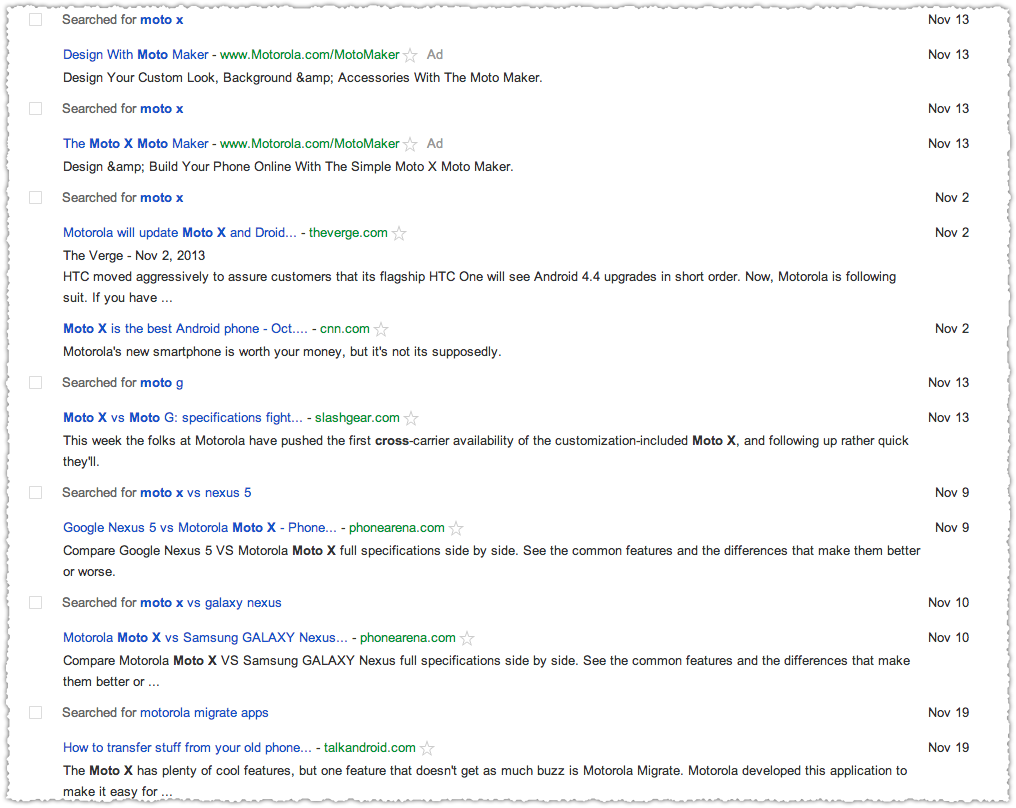
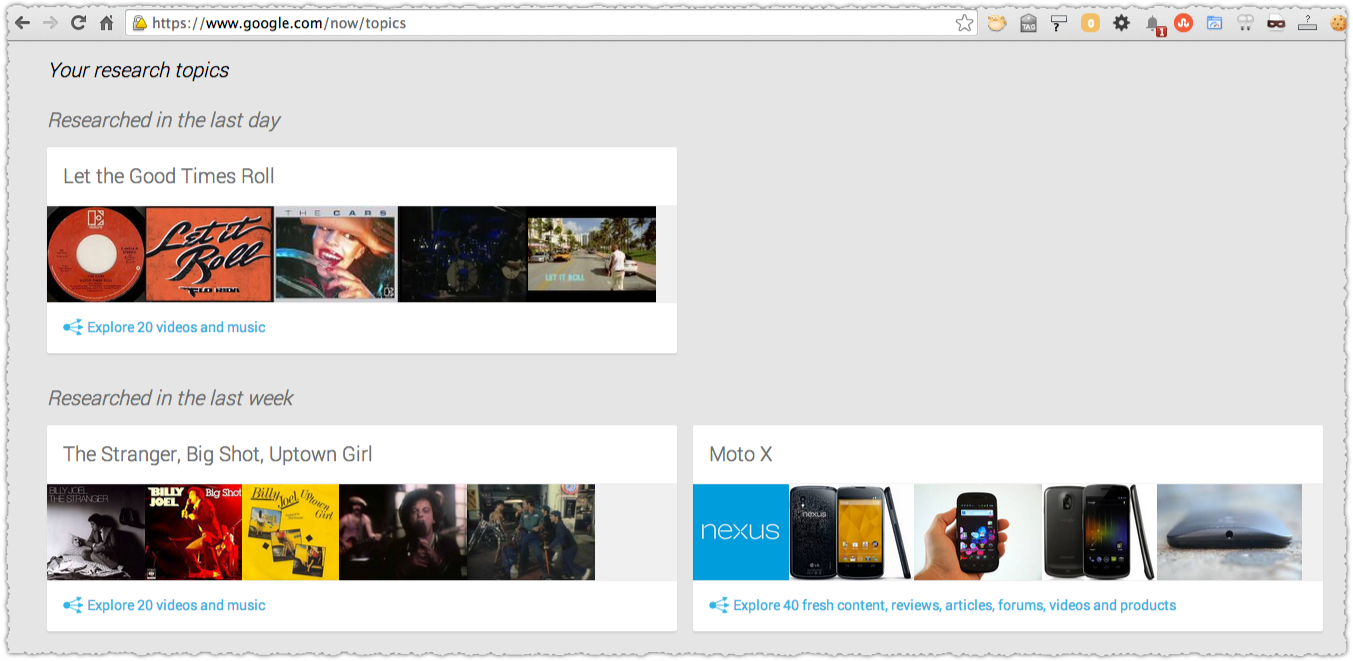
Online some might suggest that it’s dangerous that I’m being presented with the same thing I usually get. I’m in a filter bubble that might perpetuate and reinforce my current life patterns and create a type of stunted stasis where I don’t experience new things. But here’s how this works.
“No, I’m going off the board today Courtney,” I reply. “I’ll take a medium cappuccino today.”
Just like that the supposedly dangerous filter bubble is popped. Of course it’s a bit more nuanced when we talk about it online but as our online and offline experiences become more similar this is an important reference point.
The Filter Bubble
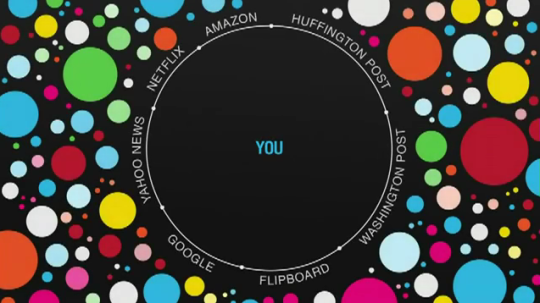
What is the Filter Bubble exactly? Eli Pariser coined the phrase to describe the way personalization and other online filters create a bubble of homogenous content that can have unforeseen and dire consequences in his book, aptly called The Filter Bubble.
The zenith of this personalization phobia was revealed in a remark by Facebook CEO Mark Zuckerberg.
A squirrel dying in front of your house may be more relevant to your interests right now than people dying in Africa.
I tend to think Mark is right but that’s not what I’m supposed to say. That’s not the ‘right’ thing to say. Yet human behavior just doesn’t work that way.
Similarly, I didn’t want to like The Filter Bubble. And while I disagree with some aspects, and many of the conclusions, I find the book compelling in a lot of ways. Not only that but I genuinely like Eli from an observer point of view. He’s been an activist of causes for which I support and created a framework (twice!) to help get the message out to people about important issues. #badass
My problem is that the filter bubble is increasingly used as a retort of fear, uncertainty and doubt when discussing personalization, marketing and privacy. It’s become a proxy to end discussions about how our personal data can, will and should be used as technology advances. Because despite the dire warnings about the dangers of the filter bubble, I believe there’s potentially more to gain than to lose.
What it requires us to do is to step outside of the echo chamber (see what I did there?) and instead rename this process the preference bubble.
Where Is Information Diversity?

Where do we get information from? The Filter Bubble covers the changing way in which information has been delivered to us via newspapers and other mediums. It documents how the Internet was supposed to allow for a flourish of different voices but hasn’t seemed to match that in reality. One can quibble about that outcome but I’d like to back up even further.
Instead of thinking about where we get information from lets consider where we consume that information. How many people in the US live where they were born? According to the 2010 US Census 59% remain in the state in which they were born (pdf) and there is similar evidence from Pew as well.
Not only that but there’s a host of evidence that Americans don’t often travel overseas and that many may never even leave the confines of their own state. The data here is a bit fuzzy but in combination it seems clear that we’re a nation that is largely stuck and rooted.
Most people will reference family and general comfort with surroundings as reasons to stay near where they were born or vacation. But what we’re really talking about is fear and xenophobia in many ways. It’s uncomfortable to experience something new and to challenge yourself with different experiences.
I was fiercely against this for some reason and made it a mission to break out from my northeastern seaboard culture. I moved from Philadelphia to Washington D.C. to San Diego to San Francisco. I also traveled to South America, the South Pacific, numerous countries in Europe and a bevy of different states in the US. I am a different and better person for all of those experiences. Travel and moving opens your eyes to a lot of things.
So when we talk about information diversity I tend to think it may not make much difference what you’re consuming if you’re consuming it in the same location. The same patterns and biases emerge, shepherding you to the common mores of your peers.
Your community shapes how you think about information and what information is important. One only has to take a trip into the central valley of California to hear chatter about water redistribution. I have some sense of the debate but because it’s not in my backyard it barely registers.
Taken to another level, your family is a huge filter for your information consumption. We know that bigotry and other forms of hate are often passed down through family. On a trivial level I’ve passed down my distaste for Notre Dame football to my daughter. She actively roots against them now, just as I do. It’s an odd, somewhat ugly, feeling and I’m perversely glad for it because it makes me mindful of more important biases that could be passed on.
Yet taken to a ridiculous extreme, the filter bubble would tell us that we should forcibly remove people from their families. We should rotate through different families, a crazy version of TV’s Wife Swap, where we get a different perspective on our information as seen through the family filter.
I’d argue that the Internet and even TV has helped reduce geographic bias. Our knowledge of the world now must be bigger then the days around the campfire or those of the town crier or when we only had the town newspaper, one source of radio news and idle chatter at the local diner.
How we analyze and digest information may have changed less (potentially far less) because of geographic filters but even the presence of additional stimuli is bound to have made a difference.
Social Entropy
One of the places where The Filter Bubble falls apart is the idea that our preferences will largely remain static because of constant reinforcement.
Instead, we know our preferences change as we grow and evolve. It’s something I refer to as social entropy. You are close to your college friends upon graduating and your interests have been formed largely from what you did during that time. Maybe you were totally into Frisbee Golf.
But you get that first job and then another and it’s in a slightly different vertical and now you’re interested in the slow food movement instead. You’ve connected with new people and have new interests. The old ones fade away and no amount of marketing will change that. Might it extend it? Sure. But only for a defined amount of time. Prior nostalgia can’t compete against current interest. I’ve got a shelf full of baseball cards I never look at to prove it.
The issue here is that there are external forces that will change your preferences despite all efforts to personalize your experience through search and social platforms. Who knew I’d be so interested in Lymphoma until I was diagnosed in October? The idea that we’ll simply continue to consume what we always consume is … specious.
You might love pizza, but you’re going to stop wanting it if you eat it for breakfast, lunch and dinner every day for a month. I know, that’s pure hyperbole. Instead lets talk about babies. (Got to keep you on your toes!) You have one and then suddenly you’re part of a mother’s group, women (and some men) thrown together by the happenstance of conception. For a while these relationships are strong but as your children grow these relationships largely dissolve.
Not only that but you aren’t continuing to watch the dreaded and whiny Caillou when your child is now 8 years old. The filter bubble fails to take into account social entropy.
Serendipity

From social entropy we can segue nicely into serendipity. At some point, people crave and want something different. Serendipity is the unexpected appearance of something, often in relation to something else, that creates an epiphany or breakthrough. Balsamic vinegar and strawberries? Oh my god, it’s delicious!
Search Engines (pdf) and information retrieval in general has been interested in serendipity (pdf) for quite some time. Not only in the capacity to encourage creativity but to ensure that a balanced view of a topic is delivered to users. The latter is what raises the hackles of Pariser and others when it comes to search results. The left-leaning political user will get different search results than the right-leaning political user.
This seems to be the cardinal sin since we all aren’t seeing the same thing on the same topic. Now, never mind that seeing the same thing doesn’t mean you’re going to change your behavior or view on that topic. We perceive things very differently. Think about eyewitness statements and how the car the bank robbers drove away in was both a red sports car and a dark SUV. Even when we’re seeing the same thing we’re seeing something different.
But I digress.
Google believes in personalization but they aren’t just trying to tell you what you want to know. Search engines work hard to ensure there is a base level of variety. Amit Singhal has spoken about it numerous times in relation to the filter bubble accusation.
At a 2012 SMX London Keynote Singhal was noted to say the following:
Amit agreed, however, that there should be serendipity. Personalization should not overtake the SERPs, but it should be present.
At a Churchill Club event in 2011 I noted how Ben Gomes spoke about search relevance.
Two humans will agree on relevance only 80% of the time. If you looked at that same result a year later, you may not agree with yourself, let alone someone else. The implication (one I happen to agree with) is that relevance is a moving target.
At the same event AllThingsD reported the following quote from Amit Singhal.
Our algorithms are tremendously balanced to give a mix of what you want and what the world says you should at least know.
Then there’s an April 2012 interview with Amit Singhal on State of Search.
Regarding personalization, our users value serendipity in search as well, so we actually have algorithms in place designed specifically to limit personalization and promote variety in the results page.
There’s a constant evaluation taking place ensuring relevance and delivering what people want. And what they want is personalization but also serendipity or a diverse set of results. Just as we wouldn’t want pizza every day we don’t want the same stuff coming up in search results or our social feeds time and time again.
We burn out and crave something new and if these platforms don’t deliver that they’ll fail. So in some ways the success of search and social should indicate that some level of serendipity is taking place and that wholesale social or interest entropy (perhaps that’s a better term) isn’t causing them to implode.
Human Nature

One of the things that Pariser touches on is whether humans aim for more noble endeavors or if we seek out the lowest common denominator. This seems to be what pains Pariser in many ways. That as much as it would be nice if people actively sought out differing opinions and engaged in debate about important topics that they’re more likely to click on the latest headline about Kim Kardashian.
So we’ll be more apt to click on all the crap that comes up in our Facebook feed instead of paying attention to the important stuff. The stuff that matters and can make a difference in the world. The funny thing is he figured out a way to hack that dynamic in many ways with the launch of Upworthy, which leverages that click-bait viral nature but for an agent of good.
To be fair, I worry about this too. I don’t quite understand why people gravitate toward the trivial Why “who wore it better” is at all important. I could care less what Shia LeBeouf is doing with his life. I watch The Soup to keep up with reality TV because I could never actually watch it. And I fail to see why stupid slasher movies that appeal to the base parts of ourselves remain so damn popular. It’s … depressing.
But it’s also human nature.
I guess you could argue, as was argued in A Beautiful Mind, that a “diet of the mind” can make a difference. I think there is truth to that. It’s, oddly, why I continue to read a lot of fiction. But I’m unsure that can be forced on people. Or if it can be, it has to be done in a way that creates a habit.
Simply putting something else in front of a person more often isn’t going to change their mind.
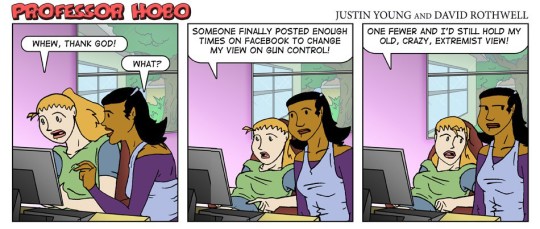
That’s not how it works. In fact there’s a lot of evidence that it might do more harm than good. A good deal of my time in the last year has been dedicated to exploring attention and memory. Because getting someone to pay attention and remember is incredibly powerful.
What I’ve realized is that attention and memory all gets tied up in the idea of persuasion. The traditional ways we think about breaking the filter bubble do nothing to help persuade people.
Persuasion

The fact is that being exposed to other points of view, particularly online, doesn’t aide in persuasion. There’s more and more research that shows that the opposite might be true. Simply putting those opposing views in front of someone doesn’t change human behavior. We still select the opinion that resonates with our personal belief system.
There’s a myriad of academic research as well as huckster like advice on persuasion. So I’m not going to provide tips on persuasion or delve into neuromarketing or behavioral economics. These are, though, all interesting topics. Instead I want to address how popping the filter bubble doesn’t lead to desired results.
One of the major areas of contention is the exposure to opposing political viewpoints on a variety of issues. The theory here is that if I only see the Fox News content I won’t ever have an opportunity to get the opposing point of view and come to a more reasoned decision. The problem? When we engage on these charged topics we don’t reach consensus but instead radicalize our own opinion.
From research referenced in this Mother Jones piece on comment trolls we get this interesting nugget.
The researchers were trying to find out what effect exposure to such rudeness had on public perceptions of nanotech risks. They found that it wasn’t a good one. Rather, it polarized the audience: Those who already thought nanorisks were low tended to become more sure of themselves when exposed to name-calling, while those who thought nanorisks are high were more likely to move in their own favored direction. In other words, it appeared that pushing people’s emotional buttons, through derogatory comments, made them double down on their preexisting beliefs.
Exposure didn’t move people toward the middle, it polarized them instead. This dovetails with additional research that shows that people often don’t want to be right.
Not all false information goes on to become a false belief—that is, a more lasting state of incorrect knowledge—and not all false beliefs are difficult to correct. Take astronomy. If someone asked you to explain the relationship between the Earth and the sun, you might say something wrong: perhaps that the sun rotates around the Earth, rising in the east and setting in the west. A friend who understands astronomy may correct you. It’s no big deal; you simply change your belief.
But imagine living in the time of Galileo, when understandings of the Earth-sun relationship were completely different, and when that view was tied closely to ideas of the nature of the world, the self, and religion. What would happen if Galileo tried to correct your belief? The process isn’t nearly as simple. The crucial difference between then and now, of course, is the importance of the misperception. When there’s no immediate threat to our understanding of the world, we change our beliefs. It’s when that change contradicts something we’ve long held as important that problems occur.
The piece (which is just brilliant) goes on to underscore the problem.
In those scenarios, attempts at correction can indeed be tricky. In a study from 2013, Kelly Garrett and Brian Weeks looked to see if political misinformation—specifically, details about who is and is not allowed to access your electronic health records—that was corrected immediately would be any less resilient than information that was allowed to go uncontested for a while. At first, it appeared as though the correction did cause some people to change their false beliefs. But, when the researchers took a closer look, they found that the only people who had changed their views were those who were ideologically predisposed to disbelieve the fact in question. If someone held a contrary attitude, the correction not only didn’t work—it made the subject more distrustful of the source. A climate-change study from 2012 found a similar effect. Strong partisanship affected how a story about climate change was processed, even if the story was apolitical in nature, such as an article about possible health ramifications from a disease like the West Nile Virus, a potential side effect of change. If information doesn’t square with someone’s prior beliefs, he discards the beliefs if they’re weak and discards the information if the beliefs are strong.
The emphasis is mine but it is vital to understanding that the areas where Pariser and others show such concern for the application of the filter bubble – in those areas where the issues are going to matter to our society – that popping that bubble might actually be detrimental.
If you’ve chosen to make the fact that vaccinations cause autism a part of your belief system and have responded by not having your children vaccinated it won’t be easy to change that viewpoint. #dummies
Another post on Facebook from a friend telling you how the vaccination link to autism has been completely debunked won’t have any impact. The numerous results on Google that point to this fact won’t help either. Instead, you’ll wind up distrusting those sources and falling back on others that conform to your beliefs.
Popping the filter bubble will not persuade people to think differently.
Oddly enough the one thing that seems to open the door to change is feeling good about yourself.
Normally, self-affirmation is reserved for instances in which identity is threatened in direct ways: race, gender, age, weight, and the like. Here, Nyhan decided to apply it in an unrelated context: Could recalling a time when you felt good about yourself make you more broad-minded about highly politicized issues, like the Iraq surge or global warming? As it turns out, it would. On all issues, attitudes became more accurate with self-affirmation, and remained just as inaccurate without. That effect held even when no additional information was presented—that is, when people were simply asked the same questions twice, before and after the self-affirmation.
Still, as Nyhan is the first to admit, it’s hardly a solution that can be applied easily outside the lab. “People don’t just go around writing essays about a time they felt good about themselves,” he said. And who knows how long the effect lasts—it’s not as though we often think good thoughts and then go on to debate climate change.
Another study detailed in a NiemanLab post shows that people feel more positive when an article proposes a solution instead of just presenting a problem.
After reading one of these six possible articles, respondents answered a survey about what they’d read. Did the article seem different from typical news articles? Do you feel more interested in the issue, or better informed? Have you gained knowledge from reading the article? Was your opinion influenced? Were you inspired? Do you feel there’s a way that you could contribute to a solution?
The results were somewhat surprising. Across all 16 measures, those who had read the solutions journalism article felt more satisfied, Curry found. “Often, doing research, you don’t get results where something works so well,” he said.
Not only that but those people were more willing to share those stories.
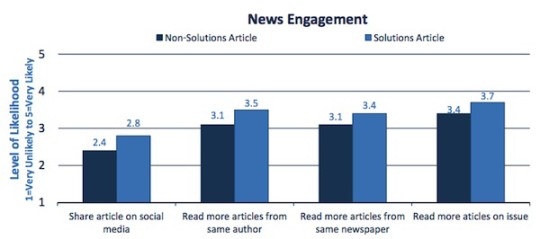
“We are intrigued by the finding that people seem to want to share these stories more, and want to create conversation around them,” Hammonds says. “So we may build on that in the way we strategize with our papers.”
People are most open to change when they feel good about themselves and are more positive. In addition, those reading solutions journalism feel better and are more likely to share those stories – perhaps as a way to extend that good feeling and to feel like they’re doing something.
It makes Upworthy seem devilishly smart doesn’t it? #kudoseli
Soylent Green is Filters

Obviously real life experiences can transform our interests and beliefs.
I once had the idea for a story where a gay pride group would recruit a large number of homosexuals (10,000 or so) from urban environments and have them move to traditionally conservative areas where they’d pass themselves off as heterosexuals. Over the course of two years they’d join the community in all ways possible. They’d be churchgoers, friends, barbers, cube mates, insurance agents, softball players, you name it.
Then on the same day, after two years, they’d all ‘come out of the closet’ in these conservative communities. The idea being that knowing someone who is gay might be the best way to transform beliefs about homosexuality. Suddenly it’s not those ‘sodomites in San Francisco’ but Larry who helped get you a replacement car when you were in that bad accident.
Of course the idea is flawed because a movement that large would be noticed and then everyone would feel fleeced and duped. No one likes to feel that way and it retards our ability to change our opinion. But the idea here is that people and interaction is what transforms the filter bubble.
So how does this work online? Because some argue that the people you ‘friend’ online are too like you to bring new ideas into your orbit. If you were just relying on those friends you might be right. But more and more social graphs bring content liked by your friends. In other words, it’s a friend of a friend that might bring new ideas and perspectives. This is something referred to often as FOAF.
The idea here is that I might have a friend who shares certain things but if she likes something that she hasn’t shared explicitly then that content might still get passed along to me as well. I wrote about how I consciously friended people because I knew they were interested in a certain subject and would likely bring content I wouldn’t see otherwise into my universe. But even if you’re not doing this consciously, a FOAF implementation can help introduce serendipity.

Instead of all this theory I’d like to present a real life example. I recently discovered Astronautalis, a really excellent songwriter/storyteller/rapper. Here’s how I wound up finding him.
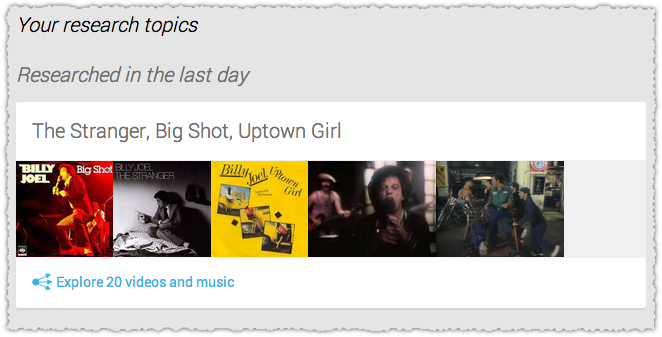
I follow Wil Wheaton in large part because of his science-fiction leaning (both Star Trek TNG and Eureka) and then Table Top (which is why I play a lot of Ticket To Ride). Wil shared some content from April O’Neil, a porn star (for lack of a better term) who is also a huge science-fiction fan. I followed April’s Tumblr and she wound up sharing some of her music tastes, one of which included, you guessed it, Astronautalis.
Wrap your head around the chain of events that connects a digital marketer and father from suburban San Fransisco with Astronautalis!
So am I an atypical user? Perhaps. But even if my information diverse diet isn’t the norm this type of discovery happens naturally. You go out with your friends to a new restaurant and it’s there that you run into someone one of your friends knows who says they’re just back from an awwwwwwesome trip to Hungary.
Hearing about this gets you interested in learning more and suddenly you’re searching for information and your next vacation is to Budapest where you happen to meet another traveler from England who designs wool sweaters for a living on some green moor, which is where you wind up living as husband and wife two years later.
There’s a fear that our online activity translates into isolation, or that the only vector for information discovery is through that medium. But that’s just not the reality.
As our online and offline experiences converge and the world gets smaller we’re going to slam into the new with greater frequency, producing sharp sparks that are sure to puncture the filter bubble.
The Preference Bubble

So for the moment lets agree that the filter bubble might not be a bad thing and that trying to eliminate it through traditional means is Sisyphean due to human nature and life experience. Instead lets talk about what it really is – a preference bubble. This is a bubble that represents what you currently prefer and will change (as I’ve noted) over time through a variety of ways.
For good or for bad there are people who are mining the preference bubble. Those people are marketers and advertisers. As in every field there are some that will exploit the preference bubble and take things too far. But that doesn’t mean we should reject it outright.
My dad told me a story once about how you don’t stop liking a ham sandwich because Richard Nixon loves ham sandwiches. The idea being that you can still enjoy something even if there are tangential parts of it that are distasteful.
From my perspective there’s a small anti-marketing bias throughout The Filter Bubble. But perhaps, as a marketer, I’m just a bit too sensitive and on the watch for this attitude. Don’t get me wrong. I have a severe distaste for many (if not most) fellow marketers who seem more than happy to spit out a few buzzwords and feel good when they make a vendor decision on their latest RFP. #CYAmuch
Yet, there are other marketers who combine creativity and data and are passionate about both the fundamentals and the details of their craft – and it is a craft. In the very general sense marketing is about finding a need and filling it. The preference bubble gives marketers the ability to find those needs far quicker and with more accuracy.
Marketers want to save you time and effort, read and buy things you desire as quickly as possible. Do we want to make a buck doing it? Absolutely. But the good ones aren’t out to use the preference bubble to sell you stuff you don’t want. Sure we might make some assumptions that your penchant for kayaking might also indicate that you’d want some rugged outdoor wear. But would we be wrong?
There’s been numerous instances where people can show when these models do go awry. Even now at Amazon if you buy something as a gift for someone but don’t mark it as such, that can have some pretty interesting consequences on your recommended products. Marketers are not perfect and the data models we’re using are still evolving. But they’re getting better every day. And that’s important.
Privacy?

As marketers get better at mining the preference bubble we have an opportunity to engage instead of obfuscate.
Chris Messina wrote about this recently where he discussed the very real trade off that takes place with the preference bubble.
Ultimately I do want companies to know more about me and to use more data about me in exchange for better, faster, easier, and cheaper experiences.
That’s what the preference bubble is all about. We want this! If you’re a vegetarian and you’re looking for a place to eat out wouldn’t it be nice if the results presented didn’t include steak houses? But we need to understand what and when we’re giving our preferences to marketers. We need to know the personal ROI for providing that information.
I often tell people that privacy is far more bark than bite. How quickly do we provide name, address and phone number on a little comment card and slip it into the window of a Ford Mustang sitting at the local mall, hoping that we’ll be the lucky winner of said car. Pretty quick.
How often do we mindlessly hand over our driver’s license to cashiers to verify our credit cards when there is no such law saying we need to do so. Every damn time right? It’s just easier to go along with it, even if you’re grumbling under your breath about it being bunk.
But here we’re making conscious decisions about how we want to share our private information. It may not always be the most noble exchange but it is the exchange that we are willingly making.
The change that Chris Messina rightly asks for is a data-positive culture. One were our ‘data capital’ is something we marshall and can measure out in relation to our wants and needs. We might not want our elbow fetish to be part of our public preference bubble. That should be your right and you shouldn’t be bombarded with tweed elbow patch and skin cracking ointment ads as a result.
It would be nice if the things we feel so self-conscious about didn’t come under such scrutiny. You shouldn’t be ashamed of your elbow fetish. That would be really data-positive. Many have written that a transparent society might be a healthier society. But there are many ways in which transparency can go wrong and we’re clearly (perhaps sadly) not at the point where this is a viable option.
Instead we should be talking about how we engage with privacy. The consternation around personalization is that people don’t know what type of private information they’re giving up to deliver that experience. But lets be clear, based on the advertising they receive users do know that they’re giving up some personal information. You don’t get that retargeted ad for the site you visited yesterday unless you’ve been tracked.

People know, on some level, that they’re providing this personal information as they surf. Fewer people understand that they leave behind a large digital wake™, waves of data that mark their path through the Internet. What is missing is exactly what is tracked and how they might limit the amount of information being used.
The problem here is that Messina and others are asking people to participate and take what amounts to proactive action on shaping their public preference bubble. In the realm of user experience we call that friction. And friction is a death knell for a product.
It makes any opt-in only program, where nothing is tracked unless I specifically say so, a non-starter. We know that defaults are rarely changed so the vast majority wouldn’t opt-in and nearly all of us would be surfing the Internet looking at the ‘one trick to get rid of belly fab’ ad.
Not only that but your online experiences would be less fulfilling. It would be harder for you to find the things you wanted. That increased friction could lead to frustration and abandonment. And the added time taken to navigate is time taken away from other endeavors. Life gets less happy.
Point of Purchase Privacy

Is there a solution? (Because you clearly want one so you feel better about this piece and wind up sharing it with your colleagues.) One of the ideas I’ve mulled over is to deliver the data-positive message at the time of purchase. What if when you clicked on that retargeted ad and wound up buying that product that during the transaction the data transacted would also be revealed.
I’m not talking about whether you’re agreeing to opt-in to that site’s email newsletter. I’m talking about a message that would state that your purchase was made by tracking your behavior on two other sites, interacting with a Facebook ad and through a prior visit to the site in question.
It’s during that time when you’re most satisfied (you’ve just made a purchase) that you are most likely to engage in a positive way with your data capital. There’s an educational aspect, where you’re told, almost Sesame Street style that today’s purchase was brought to you by pixel tracking, search history and remarketing. But there’s also a configuration aspect, an option to access your data capital and make changes as appropriate.
If my personal data tracking led to this purchase, do I feel okay with that and do I want to double-check what other personal data might be out there or not? So it would be my time to say that my tastes have changed from a latte to a cappuccino and that while I love Astronautlis I’m not a Macklemore fan. #notthesame
So maybe I do want to zap away any memory of how that transaction occurred. That would be your right. (A bad choice I think but your right nonetheless.)
I doubt you could leave this up to each site so it would likely have to be something delivered via the browser, perhaps even a add-on/extension that would be cross-browser compliant.
I’m not an engineer but I sense there’s an opportunity here to have sites provide markup that would indicate that a page or purchase was made based on personalization and that the specific set of preferences and tracking that led to that can then be displayed in a pleasing way to the user as a result. I’m not saying it would be easy. It would need to avoid the annoying ‘this site uses cookies’ message that buzzes like a gnat across UK websites.
But I think it could be done and you could even think of it as a type of customer satisfaction and feedback mechanism if you were a smart marketer.
Are We Ourselves
Our lives are increasingly reflected by our digital wake™. We are what we do online and that’s only going to grow not decline. Why not embrace that rather than deny it? I’m a perfect example of why embracing it would make sense. As a digital marketer I work with a number of clients and often visit sites that I have no personal interest in whatsoever.
Being able to quickly adjust my preference bubble appropriately would make sure my experience online was optimized. In a far flung future the cost of goods could even be reduced because the advertising and marketing spend would drop through preference bubble optimization (PBO). The maxim that advertisers are wasting half their spend, they just don’t know which half would be a thing of the past.
Beyond the crass commercialization I’m amped up about as a marketer are the societal aspects of the preference bubble. And while I share Pariser’s concerns about how people can receive and digest information I think the answer is to go through it instead of avoid it.
I remember playing Space Invaders for days on end, my thumb burning with a soon to be callus. But at some point I got bored of it and went out to count wooly caterpillars under the Japanese Maple in our front yard. This is who we are.
Our preferences are influenced by more than just what flows through our social feeds and what’s returned in search results. And while I wish we could force a ‘diet of the mind’ on people the fact is that people are going to consume what they want to consume until they decide not to.
I’d prefer to make it easier to show who we are when they’re most open to seeing it. We need to point them to their own Japanese Maple.
TL;DR
The filter bubble is not something terrible but is a product of human nature and geographic bias. It has been around before the Internet and will be there long after because it simply reflects our preferences.
Our preferences are a product of more than our digital diet and trying to change that digital diet externally may actually backfire. So as we express and conduct more of our life online we should embrace the preference bubble and the privacy issues that come with it so we can gain better, faster experiences.